
When you enter the world of cryptocurrency and decentralized finance (DeFi), one of the first and most critical decisions you face is how to manage your digital assets securely. Unlike traditional banking, where the institution holds and secures your money, in crypto, you are responsible for your own security through what are known as self-custody wallets.
These wallets come in many forms—from physical hardware devices to smartphone apps. However, for users actively engaging with the decentralized web (Web3), the choice often boils down to two highly popular software formats: the standalone Desktop Wallet and the highly integrated Browser Extension Wallet.
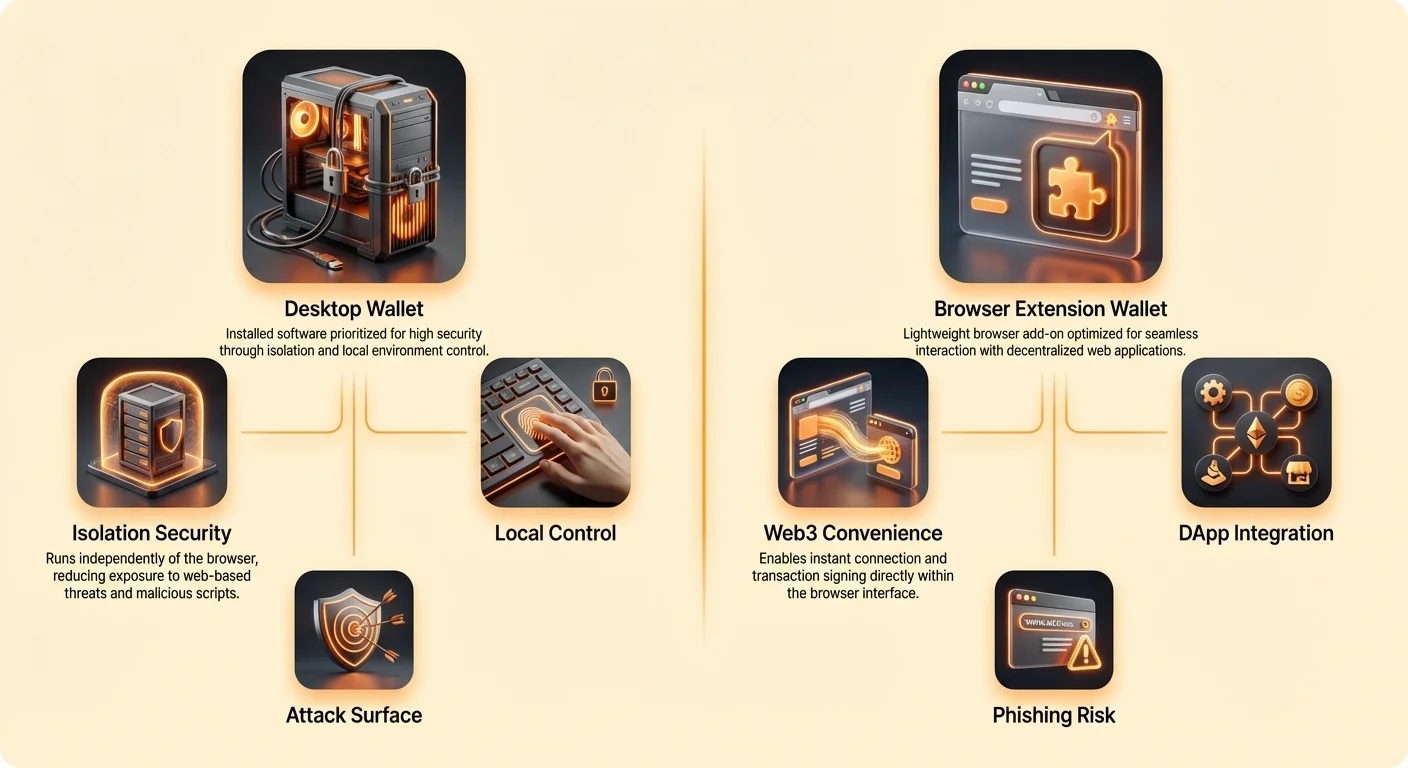
While both types store the necessary cryptographic keys to access and transact your funds, they operate in fundamentally different security environments. The Desktop Wallet prioritizes isolation and local control, acting as a secure fortress on your personal computer. The Browser Extension Wallet, conversely, prioritizes convenience and seamless connectivity, allowing instant interaction with decentralized applications (dApps) right in your browser tab. For power users and those holding significant value, understanding the trade-offs between isolation and integration is paramount for building a robust security strategy.
Understanding Wallet Foundations: The Gatekeepers of Your Digital Wealth
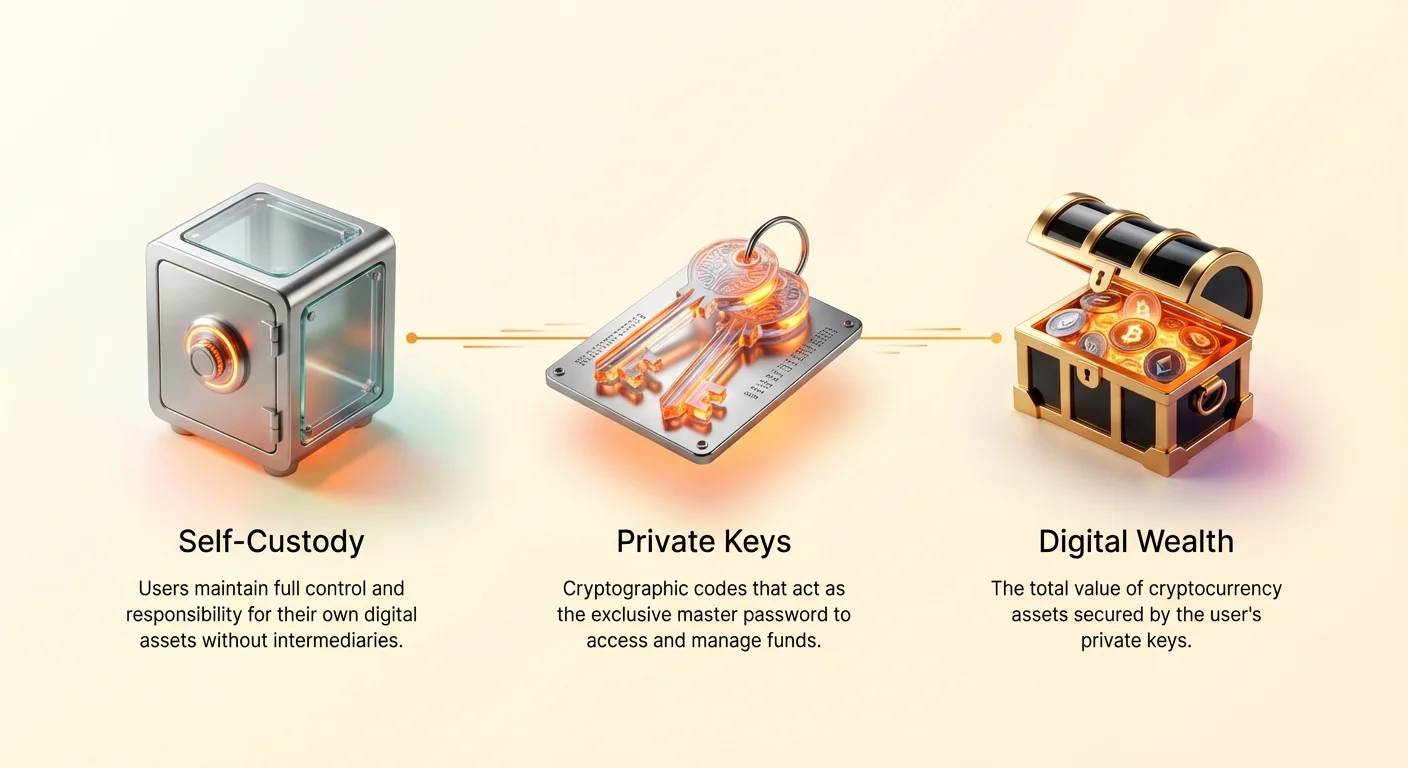
Before diving into the differences, it is essential to clarify what a software wallet actually does. A crypto wallet does not literally hold Bitcoin or Ethereum; rather, it holds your unique, secret codes—the private keys—that prove you own the assets recorded on the blockchain.
The Critical Role of Private Keys and Seeds
Every self-custody wallet relies on a private key to authorize transactions. This key is like the super-secret PIN to your digital vault. Because remembering hundreds of complex private keys is impossible, most wallets use a Seed Phrase (typically 12 or 24 words). This seed phrase is the master key that can generate all your private keys and restore your wallet on any device.
- Security Rule #1: Whoever controls the seed phrase controls the funds.
- The Wallet's Job: The software wallet's primary function is to securely store these private keys and use them to sign transactions when you instruct it.
Self-Custody vs. Custodial Wallets (A Quick Distinction)
In the context of desktop and extension wallets, we are almost exclusively discussing self-custody or non-custodial wallets. This means you are the custodian. If the wallet is hacked or compromised, the loss is yours.
In contrast, a custodial wallet (like the one built into a centralized exchange) means the exchange holds the keys. While convenient, this defeats the core principle of self-sovereignty that Web3 promotes. Desktop and extension wallets empower you to fully control your assets, but they demand a high level of personal security responsibility.
Desktop Wallets: The Fortress of Local Control
A desktop wallet is a dedicated software application installed directly onto your computer (PC, Mac, or Linux). Examples include dedicated client applications for specific blockchains or multi-currency applications like Exodus or Electrum.
Isolation and Local Execution Security
The defining characteristic of a desktop wallet is its isolation. Since it runs as a standalone program outside of your web browser, it benefits from the operating system's built-in security features, which separate it from browser-based threats.
- Reduced Attack Surface: The wallet code executes locally, independent of potentially malicious websites or compromised browser components.
- OS Sandboxing: Modern operating systems (Windows, macOS) treat dedicated applications with higher security sandboxing than browser extensions, making it harder for external malware to intercept data or keystrokes specifically within the wallet environment.
- Dedicated Connection: While many desktop wallets still connect to remote nodes (servers that relay blockchain data), they often offer more granular control over which nodes they use, sometimes even allowing connection to a user’s own full node for maximum privacy and verification.
When to Use a Desktop Wallet (The HODLer’s Choice)
Desktop wallets are the ideal choice when security and control are prioritized over frequent, seamless interaction with dApps.
- Long-Term Holding (HODLing): For assets you plan to keep untouched for years, moving them into a highly isolated environment reduces the constant risk exposure present in a browser.
- Large Value Storage: If the amount of crypto involved is significant—say, enough to cause financial distress if lost—a desktop wallet, often combined with a Hardware Wallet (cold storage), offers the highest level of software separation and protection.
- Privacy and Control: Users who run their own full nodes or require specific advanced settings benefit from the comprehensive feature sets typically offered by desktop applications.
Browser Extension Wallets: Convenience Meets Web3 Integration
Browser extension wallets (like MetaMask, Phantom, or Keplr) are lightweight applications that run inside your web browser (Chrome, Firefox, Brave). They are the primary tools facilitating the Web3 experience, serving as the bridge between your private keys and the decentralized web.
Seamless Interaction with Decentralized Applications (dApps)
The immense popularity of extension wallets stems from their unparalleled convenience.
- Instant Connection: When you visit a decentralized exchange (DEX), an NFT marketplace, or a yield farming protocol, the extension wallet instantly pops up, requesting permission to connect. This eliminates the need to open a separate application or copy and paste addresses.
- Transaction Injection: The wallet can "read" the transaction request generated by the dApp on the website and present it to you for confirmation in a clear, standardized format. This process—known as transaction signing—is quick and efficient, enabling fast-paced trading and asset management.
The Trade-off: Convenience at the Perimeter
While convenient, the environment of a browser extension is inherently riskier than a dedicated desktop application. By operating inside the browser, the wallet is exposed to the same threats that target your general web usage.
The browser acts as a single point of failure. If the browser itself is compromised, or if a malicious script can successfully penetrate the browser’s security perimeters, the extension—and thus your private keys—is placed at risk. This lack of isolation is the foundational vulnerability that power users must carefully manage.
Analyzing the Security Divide: Attack Vectors in the Browser
The key difference in security lies in the attack vectors available to bad actors. While a standalone desktop wallet is mainly vulnerable to operating system malware (like keyloggers), a browser extension wallet faces unique, highly specific threats tied to the web environment.
Supply Chain Risks (The Trust Problem)
One of the most dangerous, yet often overlooked, risks facing extension users is the supply chain attack. This threat originates not from a hacker breaking into your computer, but from the integrity of the software itself.
- Malicious Updates: An extension might be perfectly legitimate for months, but then an update containing hidden malware is pushed. This can happen if the original developer is hacked, or if the developer sells the extension to a bad actor who then integrates malicious code. Since the extension runs with broad permissions across every website you visit, it can easily inject malicious code or scrape data.
- Browser Store Compromise: Although less common, if the official Google or Firefox extension store is momentarily compromised, hackers could replace the official extension file with a malicious version. Since users usually grant extensions permissions to read and alter webpage data, this breach is exceptionally dangerous.
Web3 Injection Attacks (The Man-in-the-Middle Scenario)
A Web3 injection attack is the most common and complex threat specific to browser wallets. It essentially creates a digital “man-in-the-middle” scenario between the dApp you are interacting with and your wallet extension.
How it works:
- A user visits a seemingly legitimate dApp website (or a slightly modified malicious copy).
- A malicious script, loaded onto the website (or sometimes injected by another compromised extension), executes.
- The script intercepts the legitimate transaction request (e.g., “Send 1 ETH to Address A”).
- The script instantly and silently changes the destination address to the hacker’s address (e.g., “Send 1 ETH to Address X”).
- When your extension pops up, the transaction details it displays look correct, showing the transfer you intended, but the underlying data (the raw transaction hash) has already been altered. When you click “Confirm,” you are signing the malicious transaction.
Desktop wallets are much less susceptible to this because the core signing logic is isolated from the browser environment where the malicious injection scripts run.
Browser Sandboxing and Its Limitations
Browsers use sandboxing—a security mechanism that isolates programs and processes to prevent harm to the main system. For instance, a script running on Website A should not be able to read data from Website B.
While extension wallets are technically "sandboxed" within the browser, the sandbox boundary is not perfect. Critically, the extension itself needs permission to communicate with every dApp site. This required permission weakens the isolation:
- Inter-Process Communication: Extensions are designed to communicate with the active website to facilitate Web3 connections. If the website is compromised, that communication channel becomes a risk.
- Shared Environment: If the browser or its underlying operating system environment is infected with sophisticated malware (e.g., advanced spyware or memory scrapers), the sandboxing mechanisms may be bypassed entirely, exposing the extension's data in the computer’s temporary memory.
Operational Security: Advanced Best Practices
The most effective crypto security strategy does not rely on choosing one wallet type over the other, but on knowing how to use each tool for its intended purpose and mitigating their specific risks.
The "Hot" and "Cold" Strategy
The golden rule for asset management is separating assets based on their activity and value.
| Wallet Type | Activity Level | Security Priority | Recommended Use Case |
|---|---|---|---|
| Cold Storage (Hardware) | Zero | Extreme Isolation | Large life savings, long-term HODL funds. |
| Desktop Wallet | Low to Medium | High Isolation/Control | Mid-level savings, advanced trading setup, tax tracking. |
| Extension Wallet (Hot) | High | Convenience/Integration | Daily transactions, small DeFi deposits, NFT minting, fast trading. |
Actionable Tip: Never keep high-value assets in an extension wallet. Treat your extension wallet like physical pocket cash—only load it with the minimum amount necessary for the daily or weekly activities you plan to undertake.
Mitigating Remote Node Interaction Risks
Both desktop and extension wallets rely on connecting to a Remote Procedure Call (RPC) provider—a server run by a third party (like Infura or Alchemy) that fetches blockchain data and sends transactions.
The Risk: Using a public RPC provider introduces a privacy risk, as the provider sees your IP address and the transaction requests you send.
Mitigation:
- Use Privacy-Focused Extensions: Some extensions (like MetaMask) allow you to change the default RPC provider to a self-hosted node or a specialized, privacy-focused service.
- Desktop Control: Desktop wallets often make it easier to configure, switch, or even run your own full node, providing complete control over your network connection and maximizing data privacy.
Hardening Your Browser Environment
If you must use extension wallets for dApp interaction, implement these safety measures:
- Dedicated Browsing Profile: Create a separate, clean browser profile (e.g., "Web3 Only") used only for connecting to your wallet and interacting with dApps. Do not use this profile for general browsing, email, or social media, minimizing exposure to phishing and malware.
- Minimize Extensions: Only install the absolute necessary extensions in your Web3 profile. Every additional extension increases the potential attack surface.
- Review Permissions: Regularly check the permissions granted to your wallet extension. If it requests permissions for sites it shouldn't need, revoke them or question the request.
- Verify URLs: Triple-check the URL of every dApp before connecting your wallet, guarding against basic phishing sites that mimic legitimate ones.
The Decision Framework: When to Choose Which Wallet
The "power user" understands that the choice between desktop and extension is not about which is inherently "better," but which is appropriate for the task at hand and the value at stake.
Choose Desktop When Security and Value are Paramount
Prioritize a desktop wallet when your goal is long-term storage, financial auditing, or protecting high-value assets that are rarely moved.
- High-Value Reserves: If the funds are part of your financial safety net, isolate them completely from the active web.
- Compliance and Reporting: Desktop applications often provide better features for generating transaction histories and reporting, essential for tax and financial compliance.
- Avoiding Web3 Risk: If you need access to your assets but have no intention of using DeFi, trading NFTs, or bridging tokens, the desktop environment shields you from the injection risks inherent in dApp interaction.
The Ultimate Security Stack: For the most sensitive assets, the ideal setup involves using a Hardware Wallet connected only to a secure Desktop Wallet application. This ensures your private keys never touch the internet or the operating system itself, and the transaction details are confirmed on an isolated screen.
Choose Extension When Activity and Integration are Necessary
Prioritize an extension wallet when seamless, real-time interaction with the decentralized ecosystem is required, and the value involved is manageable.
- Active DeFi Participation: Engaging in yield farming, lending, or complex swaps requires the ability to sign multiple transactions quickly, which an extension handles perfectly.
- NFT Management: Connecting to marketplaces (OpenSea, Magic Eden) for buying, selling, or minting new assets is practically impossible without a browser extension.
- Bridging and Swapping: Cross-chain operations and instant token swaps depend on the extension's ability to inject data into the web page interface.
Crucial Caveat: Always enforce the "buffer account" principle. Use the extension wallet only as a buffer that receives small amounts of funds from your secure (desktop or hardware) vault right before you need them, and move leftovers back immediately after the activity is complete.
Conclusion
The shift from desktop software to browser-based utilities is a fundamental technological trend, and crypto wallets reflect this evolution. Desktop wallets offer robust isolation ideal for storage and advanced local control, while browser extensions deliver the necessary agility and integration for the complex, fast-moving world of Web3.
For the modern crypto adopter, the best practice is not to choose one format but to architect a layered security defense. Use the desktop wallet and hardware wallet combination for your financial reserves, treating them as inaccessible digital savings accounts. Simultaneously, utilize a carefully managed, low-balance extension wallet for your active daily interactions. By understanding the unique security perimeters of each type and aligning your choice with your asset value and risk tolerance, you transition from a novice user to a skilled custodian of your digital wealth.