Welcome to the digital economy, where you are your own bank. This profound level of financial sovereignty comes with an equally profound responsibility: securing your assets. For new custodians, the journey often begins with confusion about which wallet to use. However, advanced security is not about choosing one perfect wallet; it is about implementing a disciplined, multi-layered strategy.
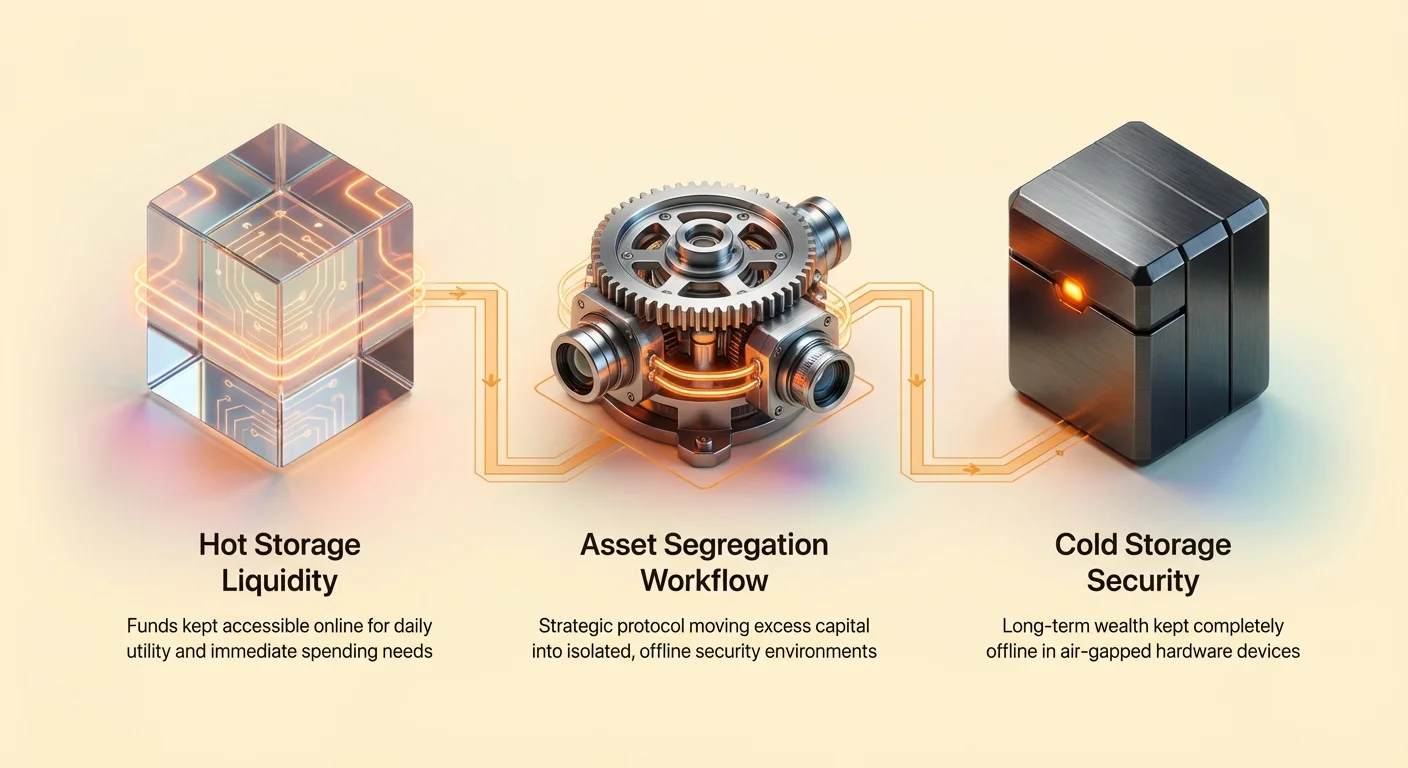
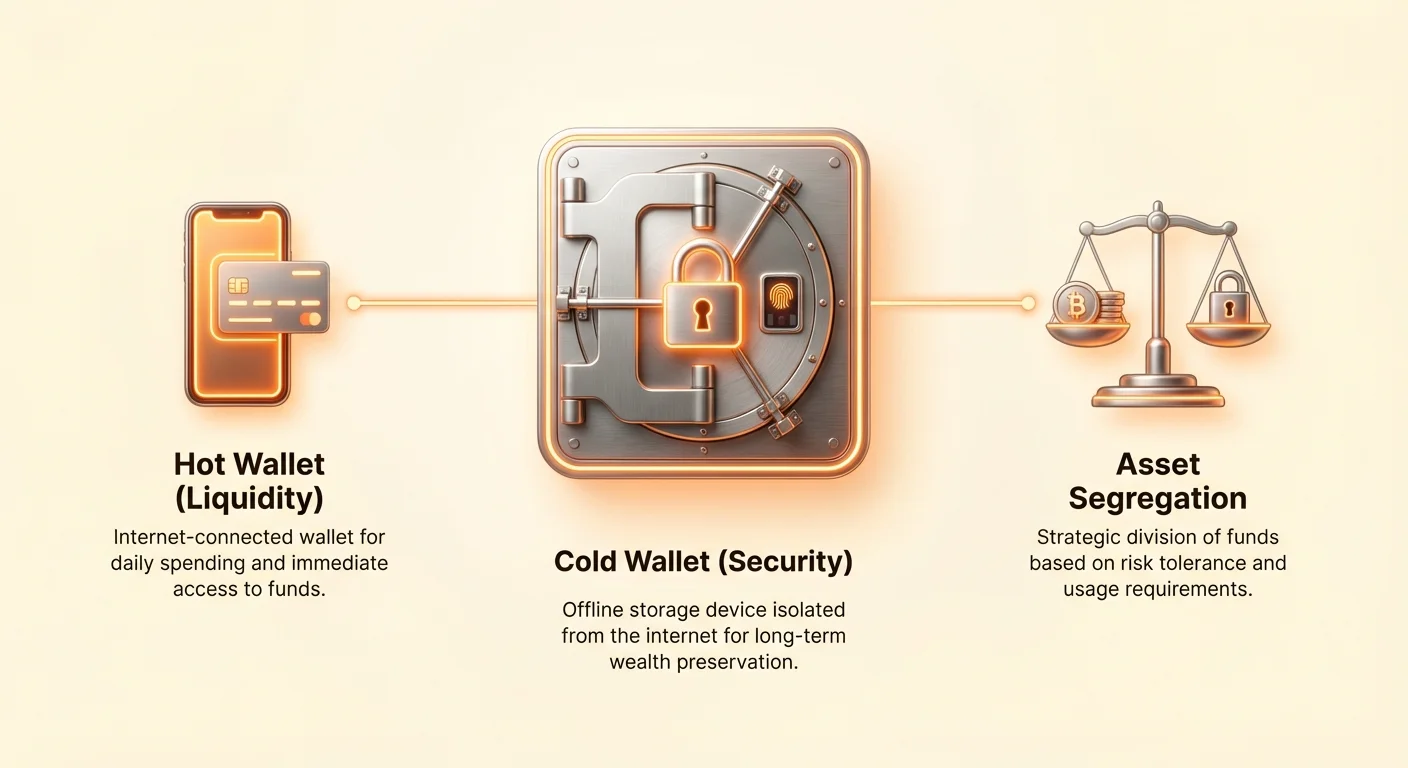
The foundational concept of securing significant digital wealth is asset segregation—the strategic division of funds between two distinct environments: hot storage and cold storage. Think of this approach as managing your physical finances: you keep a small amount of cash in your pocket (hot, accessible) and the vast majority of your life savings locked away in a high-security bank vault (cold, inaccessible).
This guide moves beyond defining "hot" and "cold" wallets. Our focus is on the practical logistics and operational security (OpSec) required to successfully manage a multi-wallet strategy. We will detail the secure workflows necessary for defining your risk thresholds, transferring assets safely into isolation, and monitoring those funds without ever compromising security. Implementing these disciplined workflows is the crucial step toward achieving true self-sovereignty.
The Strategic Foundation: Defining Custody and Risk Segmentation
The decision to adopt a self-custody model means accepting 100% of the responsibility for security. The first step in effective management is understanding that not all crypto assets require the same level of protection, nor should they be stored in the same place.
The Core Distinction: Hot (Liquidity) vs. Cold (Security)
The defining characteristic between hot and cold storage is the connection to the internet and the security requirements of the underlying device holding the private keys.
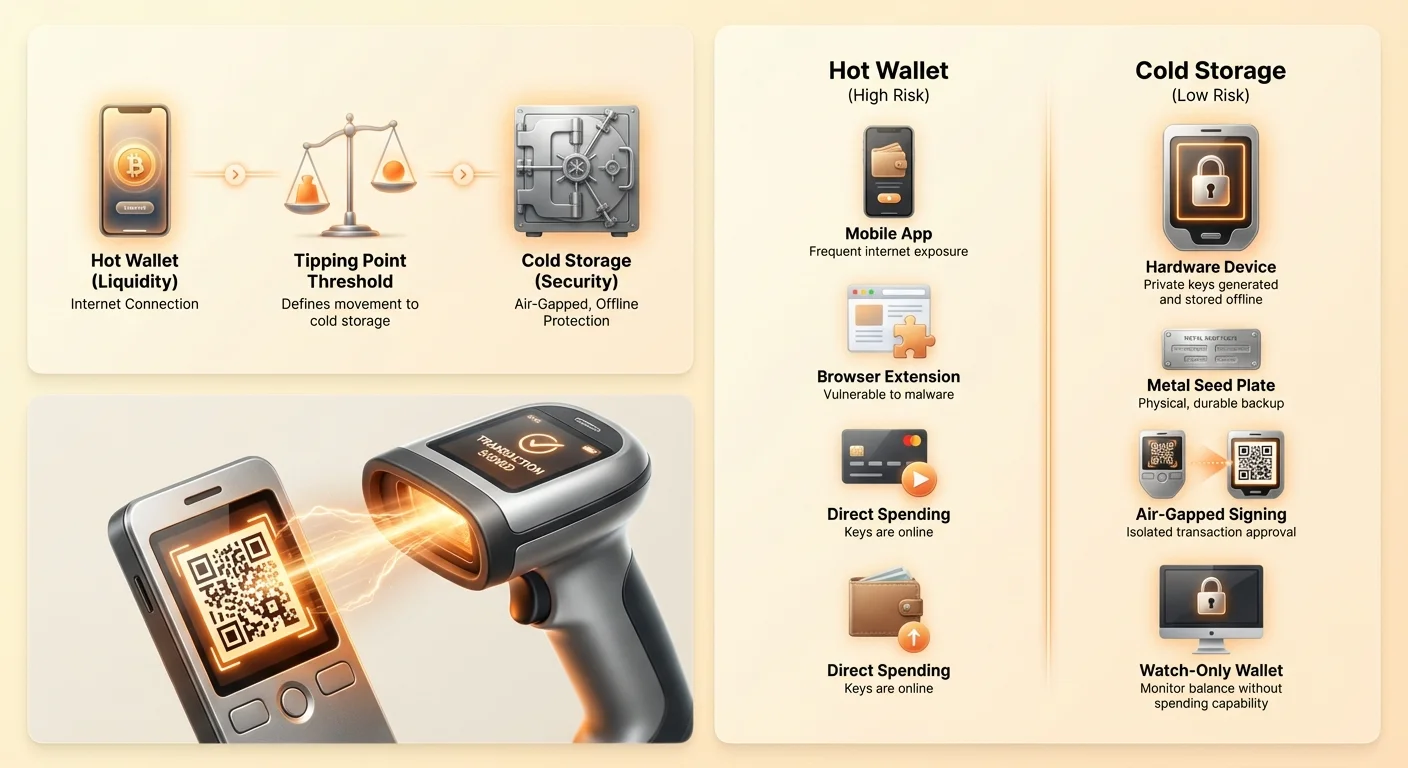
Hot Wallets (Liquidity):
- Definition: Wallets (often mobile apps, desktop software, or browser extensions) whose private keys are stored on a device regularly connected to the internet.
- Purpose: Utility, spending, daily trading, interaction with decentralized finance (DeFi) applications, and managing small amounts of funds for immediate use.
- Risk Profile: High operational risk due to exposure to malware, phishing, and remote access attacks.
Cold Wallets (Security):
- Definition: Wallets (typically hardware devices or carefully prepared paper/metal backups) whose private keys are generated and stored offline, completely isolated from any internet connection. These are often referred to as "air-gapped" devices.
- Purpose: Long-term savings, wealth preservation, and storing the vast majority of one's digital assets.
- Risk Profile: Extremely low risk from remote attacks; primary risks are physical loss, destruction, or improper setup.
Identifying Your Risk Profile and Threat Model
Before establishing any workflow, you must identify your personal "threat model"—the specific risks you are attempting to mitigate.
- Retail Spender: Primarily concerned with quick access and ease of use. A basic mobile hot wallet might suffice, but savings must still be segregated.
- HODLer (Long-Term Investor): Focused entirely on capital preservation over many years. Needs deep, layered cold storage solutions, potentially involving multi-signature security (multi-sig).
- Professional/High-Net-Worth Individual: Concerned not only with remote hacks but also physical coercion or sophisticated targeted attacks. Requires geographically distributed cold storage and advanced air-gapped signing procedures.
Actionable Tip: Your threat model determines where the 95% threshold of your funds should be stored. If sophisticated attackers are a concern, even seemingly secure desktop wallets may be insufficient; a dedicated hardware wallet is mandatory.
Step One: Defining Your Segregation Thresholds
Effective cold storage workflow management begins with a financial plan, not a technological one. You must define clear, non-negotiable thresholds for when funds move from hot to cold storage.
The 80/20 Rule of Crypto Assets (or 95/5)
In crypto security, the risk associated with daily transactions is not linear; it increases with every interaction. To minimize this surface area of attack, experts recommend a strong segregation ratio, often 90% or more in cold storage.
- Cold Storage Allocation: This is the bulk of your wealth, designated for long-term holding. These funds should be treated as inaccessible unless a major financial event requires a withdrawal.
- Hot Storage Allocation: This is your operating fund. This balance should be maintained at the minimum necessary to cover immediate trading, small purchases, gas fees, and short-term liquidity needs. If this hot wallet balance is compromised, the loss must be minor enough to be considered tolerable operational expense.
Setting the "Tipping Point"
The most crucial aspect of defining your segregation threshold is identifying the "Tipping Point"—the amount of loss that would cause significant financial pain or irreparable damage to your long-term goals.
Example Scenario:
- Net Worth Goal: You aim to save $100,000 in crypto over five years.
- Tolerable Loss: You decide that losing $1,000 in a hot wallet hack would be annoying but survivable.
- The Tipping Point: Anything over $1,000 would significantly derail your plan.
Workflow Implementation: Your cold storage workflow management rule should be: Any time the balance in the hot wallet exceeds $1,000, initiate a transfer to cold storage within 24 hours.
By setting this firm, policy-driven rule, you automate your security decisions and remove the psychological impulse to keep larger sums accessible "just in case."
The Workflow: Safely Moving Assets into Cold Storage
Once the threshold is defined, the process of transferring assets from a liquid environment to an isolated, secure environment must follow a strict, repeatable protocol. This protocol is the core of effective cold storage workflow management.
Preparation: Verifying Software and Hardware Integrity
The security of your cold storage is only as strong as its initial setup. Never assume a new device or software download is safe.
- Hardware Verification: If using a hardware wallet, verify the tamper seals upon arrival. Use the manufacturer's official tool (on a separate, secure computer) to confirm the device's authenticity and firmware integrity.
- Dedicated Environment: Ideally, the initial setup (generating the seed phrase) should occur in a clean, isolated environment—a computer that is known to be malware-free and, ideally, disconnected from the internet during the critical phase of seed generation.
- Secure Seed Storage: Before generating the wallet, ensure your physical storage solution (engraved steel plate, waterproof paper, etc.) is ready. The seed phrase must be physically recorded immediately and never digitally photographed, stored on a computer, or saved in cloud services.
The Seed Phrase Workflow
The seed phrase (or recovery phrase) is the master key to your funds. Its generation and storage must be handled with extreme care.
- Generation: Generate the seed phrase directly on the air-gapped hardware device. Never use a third-party application or website to generate or verify phrases.
- Recording: Record the phrase in your secure, redundant physical medium (e.g., two metal plates stored in two separate, secure, geographically distinct locations).
- Verification: Verify the phrase on the device if possible, using its internal process, to ensure you transcribed it correctly. Immediately destroy any temporary paper used during the transcription process.
The Staging Transaction: Testing the Cold Wallet
Before transferring significant funds, you must test the entire cycle: depositing funds, securing the device, and recovering funds.
- Small Deposit: Send a minimal amount of crypto (e.g., $10 worth) from your hot wallet to the newly created cold wallet address.
- Confirm Receipt: Use a watch-only wallet (detailed below) to confirm the funds have arrived securely.
- Simulate Disaster (The Recovery Test): Wipe the hardware wallet and use your physically stored seed phrase to restore the device. Confirm that the $10 balance reappears.
- Transaction Test: Send the $10 back to your hot wallet. This confirms that your hardware and seed phrase are working and that you understand the process for initiating an outgoing transaction from the air-gapped environment.
Crucial Note: Only after successfully completing the recovery test and the transaction test should you consider the cold storage workflow implemented and ready for large-scale deposits.
Operational Security: Mastering Air-Gapped Transaction Signing
The core benefit of cold storage comes from the air gap—the isolation of the private keys from the internet. However, since the private keys are needed to authorize a transaction, a secure method is required to communicate the intent to spend without bridging the security gap. This is achieved through air-gapped transaction signing.
What is an Air-Gapped Device?
An air-gapped device is any computing system (in this context, usually a hardware wallet) that has never, and will never, connect to the internet, Bluetooth, or any other network. It is entirely isolated.
To move funds, the air-gapped device only handles two things:
- Receiving the transaction intent (unsigned transaction).
- Exporting the cryptographic signature (signed transaction).
The heavy lifting (creating the transaction structure, broadcasting it to the network) is done by a non-sensitive, internet-connected computer (the "hot" computer).
The Unsigned/Signed Transaction Cycle (PSBT Model)
Most modern wallet software and hardware wallets use the Partially Signed Bitcoin Transaction (PSBT) standard to facilitate secure transfers.
- Creation (Hot Computer): You initiate a withdrawal on your internet-connected computer using your wallet interface (e.g., "Send 1 BTC to Address X"). The software builds the PSBT—an unsigned contract specifying the sender, recipient, and amount.
- Transfer (Air Gap): The hot computer exports the PSBT data. This is typically done via a secure method that cannot transmit malware, such as:
- QR Codes (scanning the unsigned transaction data onto the hardware wallet screen).
- MicroSD Card (physically transferring the file).
- Signing (Cold Device): The air-gapped hardware wallet receives the PSBT. Using the private keys stored internally, it cryptographically signs the transaction. This signature proves the owner authorized the spend.
- Broadcast (Hot Computer): The hardware device exports the newly signed transaction (again, via QR code or SD card). The internet-connected computer receives the signed transaction and broadcasts it to the global blockchain network.
At no point during this critical signing phase do the private keys or the hardware device touch the network. This is the gold standard for air gapped transaction signing.
Best Practices for Signing
The complexity of the air-gapped signing process introduces specific operational risks that must be managed:
- Address Verification: Always verify the destination address (and the change address, if applicable) physically on the hardware wallet screen before pressing "Sign." Malicious software on the hot computer can attempt to swap the recipient address displayed on the screen versus the one contained in the PSBT data sent to the hardware wallet. The hardware wallet screen is the only trustworthy display.
- Minimal Exposure: When taking your cold device out of storage to sign a transaction, minimize its exposure time. Sign the transaction and return the device to its secure location immediately.
- Environment Check: Ensure the area where you are performing the signing process is private, free from cameras, and distraction-free. OpSec demands focus.
Maintaining Visibility: Managing Cold Storage with Watch-Only Wallets
A common fear among new cold storage users is the sense of isolation—the inability to check if their funds arrived or monitor their growing balances without compromising the air gap. This is the purpose of a watch-only wallet.
The Purpose of Extended Public Keys (XPubs)
To monitor a wallet's balance without needing the private keys, we use an Extended Public Key (XPub).
When your cold wallet is set up, it generates not only private keys (for spending) but also an XPub. This single key can generate all the public receiving addresses associated with that wallet.
- What the XPub allows: Viewing all transactions and the current balance.
- What the XPub does not allow: Signing or spending any funds.
By exporting this XPub, you can create a "watch-only" instance of your wallet on an internet-connected device, providing real-time monitoring without introducing spending risk.
Setting Up a Watch-Only Wallet
A watch-only setup should be a standard component of your cold storage workflow management.
- Retrieve the XPub: Using your air-gapped hardware wallet interface, follow the instructions to view and export the Extended Public Key (XPub). This process is non-sensitive and does not expose the private key.
- Use Dedicated Software: Import the XPub into a dedicated, trusted wallet application (often the desktop version of a popular multi-currency wallet) on your monitoring computer.
- Monitoring Only: This resulting instance of the wallet will show your current balance and transaction history. If you attempt to initiate a transaction, the software will inform you that the device needs to be connected to sign the PSBT—a safe, expected response.
Warning: Treat the XPub as sensitive information, even though it cannot spend funds. Knowing the XPub confirms asset ownership and wallet size, which could make you a target.
Security Caveats of Watch-Only Setups
While watch-only wallets are vital for visibility, they are not entirely without risk:
- Privacy Risk: If your watch-only wallet is installed on an unsecured device, malicious actors could glean your asset values and transaction patterns, increasing the risk of targeted attacks (social engineering or physical threat).
- No Address Verification: Never rely on the watch-only wallet to confirm a receiving address for a new deposit. Always generate the receiving address directly on the air-gapped hardware wallet (or a dedicated, secure display) to ensure the address hasn't been maliciously swapped by malware on the monitoring computer.
Conclusion: Discipline and Iteration
The security of your digital assets is a constant practice of discipline. Cold vs. hot storage is not merely a classification; it is an active cold storage workflow management strategy. By establishing clear segregation thresholds (the Tipping Point), adhering to strict air-gapped transaction signing protocols, and using watch-only wallets for safe monitoring, you achieve true operational security.
Self-custody means replacing centralized trust with structured personal policy. Regularly review your threat model, test your seed phrase recovery procedure annually, and ensure that the vast majority of your digital wealth remains isolated, secure, and ready for the long journey of decentralized finance.