
Digital asset security is a discipline that requires constant vigilance and active management. Unlike traditional banking where a third party safeguards your funds, the world of cryptocurrency operates on a peer-to-peer basis. This fundamental shift places the burden of protection entirely on the individual. If you hold digital assets like Bitcoin or Ether, you act as your own bank. There is no customer service department to call if things go wrong, and transactions are generally irreversible. Consequently, establishing a robust security posture is not a one-time event. It is an ongoing process of auditing, updating, and refining your habits.
To ensure your investments remain safe from unauthorized access, theft, or loss, you must perform a comprehensive self-assessment of your security setup. This involves examining how you store your keys, how you access your funds, and how you interact with the broader blockchain ecosystem. A proper audit looks beyond just having a password. It delves into the structural integrity of your digital vault. By treating your personal security with the same rigor as a financial institution, you can mitigate risks and navigate the crypto landscape with confidence.
Understanding the Foundation of Ownership
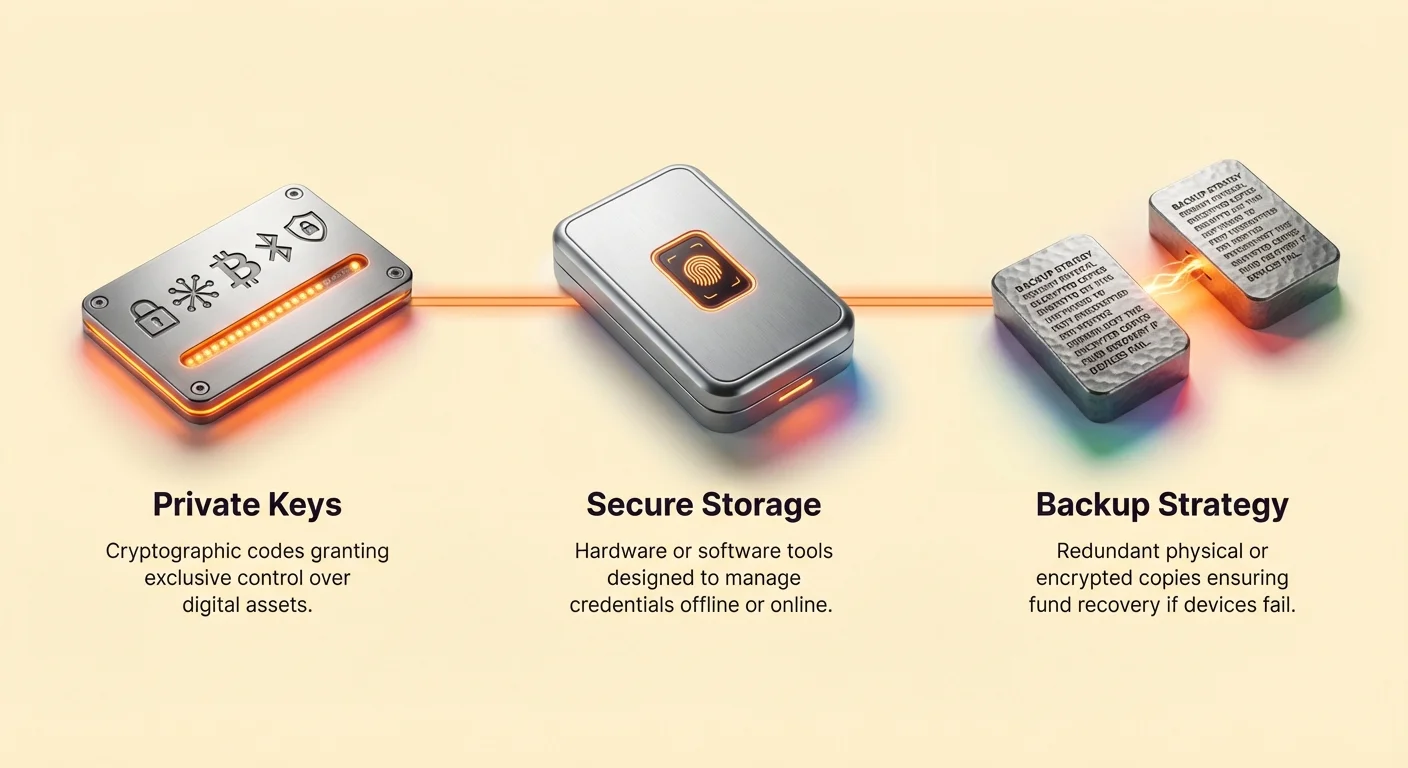
The first step in your audit is verifying that you actually own your assets. In the cryptocurrency world, ownership is defined by control over private keys. A private key is a secret alphanumeric code that grants the ability to move or spend funds associated with a specific address. If you do not possess this key, you do not truly possess the asset. This is often summarized by the popular maxim: not your keys, not your coins.
The Mailbox Analogy
To understand why private keys are critical, consider the analogy of a mailbox. Your public key, or address, functions like the mail slot or the address painted on the outside of the box. Anyone in the world can send mail, or cryptocurrency, to this address without needing special permission. It is public information designed for receiving assets. However, the private key acts as the physical key that opens the mailbox. Only the person holding this key can retrieve the contents or send them elsewhere.
During your audit, you must identify which of your holdings allow you to hold this "mailbox key" directly. If you are using a service where you log in with an email and password but never see a private key or seed phrase, you are using a custodial service. In this scenario, the service provider holds the key, and you are merely asking their permission to access the mailbox.
Custodial Versus Self-Custodial Risks
Distinguishing between custodial and self-custodial arrangements is vital for assessing risk. Custodial wallets, often provided by centralized exchanges, function similarly to traditional bank accounts. You trust the entity to secure the funds on your behalf. While convenient for trading, this introduces significant third-party risk. If the exchange faces bankruptcy, regulatory hurdles, or a security breach, you may lose access to your funds indefinitely. For a deeper analysis, examine the spectrum of custody risks.
Self-custodial wallets eliminate this reliance on third parties. You retain total control, meaning no government or corporation can freeze your account or deny a transaction. However, this autonomy comes with the responsibility of managing your own security. A self-assessment must determine if your distribution of funds between custodial and non-custodial solutions aligns with your risk tolerance.
Evaluating Wallet Types and Storage
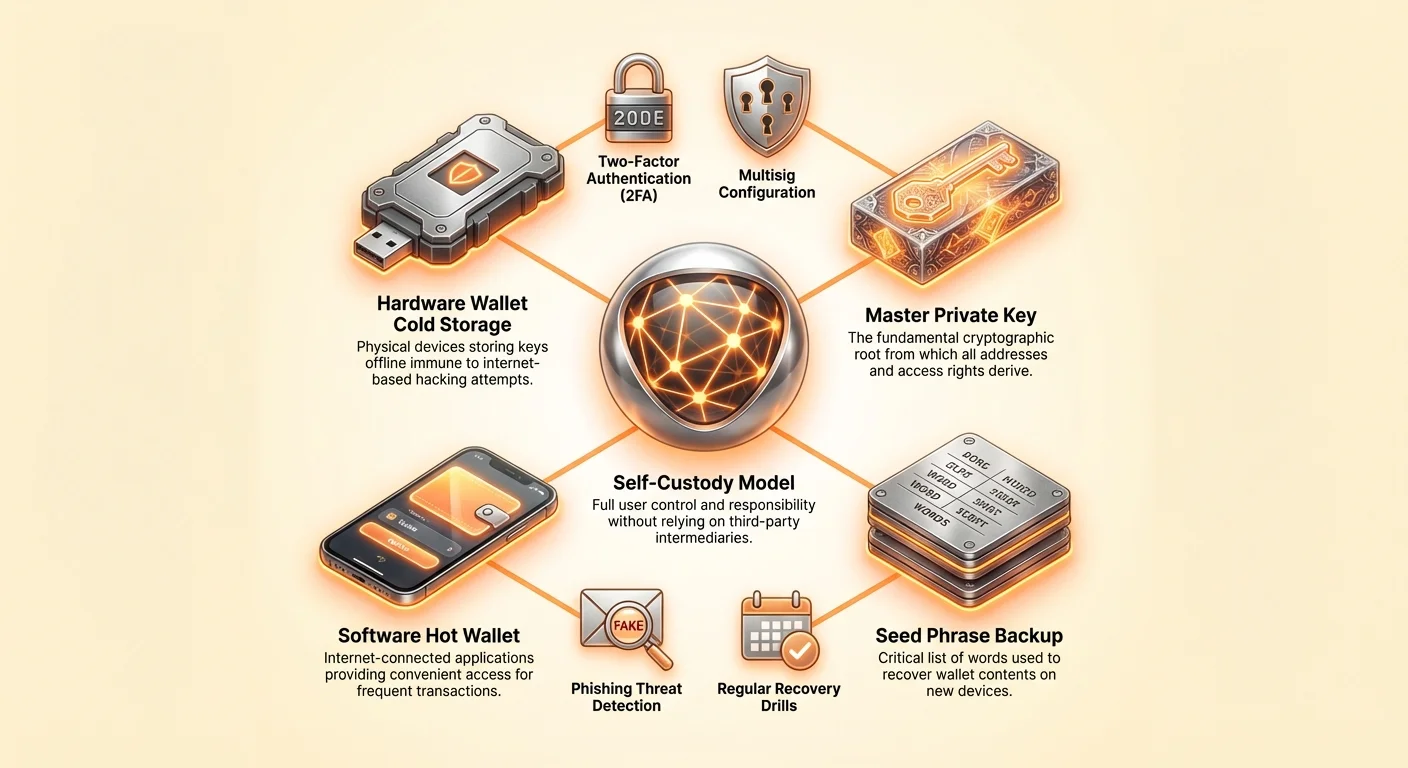
Once you have established ownership, the next phase of the audit focuses on the tools you use to interact with the blockchain. Not all wallets offer the same level of security or utility. Broadly speaking, wallets are software or hardware devices that manage your private keys. They do not store the actual Bitcoin or cryptocurrency; the assets live on the blockchain. The wallet simply stores the credentials needed to move them.
Software and Hot Wallets
Software wallets exist on computing devices such as smartphones, desktops, or web browsers. These are often referred to as "hot wallets" because they remain connected to the internet. They are excellent for everyday spending and frequent trading due to their convenience. However, because they run on complex operating systems, they are theoretically susceptible to malware, viruses, and remote hacking attempts.
When auditing your software wallets, verify the reputation of the wallet provider. Look for apps that have been active for years and have a strong track record. Check community forums and reviews to ensure the developer is trustworthy. Ensure the application is updated to the latest version to patch any potential vulnerabilities. If you hold significant value in a hot wallet, consider whether that risk is acceptable for the convenience it provides.
Hardware and Cold Storage
For long-term storage of substantial value, cold storage is the gold standard. Hardware wallets are physical devices that store private keys offline. When you wish to make a transaction, you connect the device to a computer via USB. The device signs the transaction internally and sends only the safe, signed data back to the computer. This ensures that your private keys never touch the internet, rendering them immune to online hackers.
Your audit should confirm that the majority of your long-term holdings are kept in cold storage. If you are using a hardware wallet, ensure you bought it directly from the manufacturer to avoid supply chain tampering. Verify that you have the recovery seed for this device stored separately. While hardware wallets involve an upfront cost, they provide a layer of security that software cannot match.
The Core of Security: Private Key Management
At the heart of every wallet is the private key. Technically, this is a 256-bit randomly generated number. Because such a number is unwieldy for humans to handle, most modern wallets use a standard that converts this number into a recovery phrase. This is typically a list of 12 to 24 random words, also known as a seed phrase. This phrase is the master key to your funds.
Protecting the Seed Phrase
The most critical rule of crypto security is protecting this sequence of words. During your self-assessment, check where your seed phrases are recorded. They should never be stored in digital form on a computer, phone, or cloud drive unless they are heavily encrypted. Taking a screenshot or a photo of your handwritten seed phrase is a major security violation. If your device is compromised, hackers often scan galleries for images containing text that looks like a seed phrase. For best practices, review seed phrase security strategies.
The best practice is to write the words down on paper or stamp them into metal plates for fire resistance. This physical copy should be stored in a secure location, such as a fireproof safe or a lockbox. Verify that the words are legible and written in the correct order. A single spelling error or misplaced word can render the backup useless.
Risks of Digital Exposure
Many users mistakenly save their recovery phrases in password managers or email drafts. This exposes the keys to internet-based threats. If your email account is breached, the attacker can easily search for terms like "recovery," "seed," or "crypto" to find your keys. Your audit must involve purging any unencrypted digital copies of your seed phrases.
If you discover during your assessment that you have stored a seed phrase digitally, you should consider that wallet compromised. The safest course of action is to create a new wallet with a fresh set of keys. You must then transfer your funds to the new address immediately. It is better to undergo the hassle of migration than to risk total loss due to a previous lapse in security.
Assessing Your Backup Strategy
A wallet without a backup is a single point of failure. If your phone is lost, stolen, or damaged, and you do not have a backup, your funds are gone forever. Backing up effectively means creating a secondary access point to your funds that is independent of your primary device. There are two primary methods to consider: manual transcription and automated cloud services.
Manual Redundancy
Manual backups involve the physical recording of the seed phrase as described previously. However, a single piece of paper is vulnerable to physical disasters like fire or flood. A robust security posture involves redundancy. You should verify that you have at least two copies of your recovery phrase stored in separate geographic locations. For instance, one might be in your home safe, and another in a safety deposit box or at the home of a trusted family member.
When distributing backups, ensure that the locations are secure. You do not want unauthorized individuals stumbling upon your keys. Some advanced users split their seed phrases into parts, but this increases the complexity of recovery. For most, keeping full copies in two secure, separate physical locations provides a good balance of security and redundancy.
Automated Cloud Solutions
Modern self-custodial wallets, such as the Bitcoin.com Wallet, offer automated cloud backup services. This method encrypts your wallet's private key file and stores it in your Google Drive or Apple iCloud account. To decrypt and use this file, you must create a custom master password. This offers a blend of convenience and security, as you can recover your funds simply by logging into your cloud account and entering your password.
If you rely on cloud backups, your audit must focus on the strength of the master password you created. If this password is weak or reused from other services, it becomes a vulnerability. Furthermore, you must ensure that your cloud account itself is secure. If an attacker gains access to your iCloud or Google account and guesses your decryption password, they can access your funds. Therefore, securing the cloud account is just as important as securing the wallet.
Auditing Access Control and Authentication
Securing the perimeter of your digital life is essential for asset protection. Even if your private keys are safe, unauthorized access to your devices can lead to theft. Your self-assessment should review how you unlock your devices and applications. The first line of defense is the lock screen on your smartphone or computer.
Biometrics and PINs
Most wallet apps allow you to set up biometric authentication, such as facial recognition or fingerprint scanning. You should enable this feature immediately. It adds a layer of friction for anyone trying to access your wallet if they get hold of your unlocked phone. If biometrics are not an option, set a strong, unique PIN for the wallet app itself.
Do not rely solely on the device's main PIN. If someone observes you unlocking your phone, they should not also have immediate access to your financial applications. Treat the wallet app as a vault within a vault. Review your settings to ensure that the app automatically locks after a short period of inactivity.
Two-Factor Authentication (2FA)
For any custodial accounts or cloud services associated with your backups, Two-Factor Authentication (2FA) is non-negotiable. 2FA requires a second form of verification, usually a code from an authenticator app, in addition to your password. Avoid using SMS-based 2FA if possible, as SIM swapping attacks can allow hackers to intercept these codes.
During your audit, check every exchange account and email account linked to your crypto activities. Ensure they are protected by an app-based authenticator like Google Authenticator or Authy. This makes it significantly harder for an attacker to breach your accounts, even if they have stolen your password.
Advanced Security Measures
For those with significant holdings, standard security practices may not be enough. Advanced features can provide additional safeguards against theft and extortion. One such feature is the multisig, or multi-signature, wallet.
Multisig Configurations
A multisig wallet requires more than one private key to authorize a transaction. For example, you can set up a "2-of-3" wallet, where three keys exist, but at least two are required to spend funds. This structure eliminates the single point of failure. If one key is stolen or lost, the funds remain safe because the attacker cannot generate the second signature required for a transaction. For more applications, investigate practical multisig use cases.
Multisig wallets are also excellent for organizational treasuries or family savings. You can distribute keys among family members, requiring consensus to move funds. If your audit reveals that your holdings have grown substantial, investigate whether moving to a multisig setup is appropriate for your risk profile.
Fee Customization and Privacy
While often overlooked, how you handle transaction fees can play a role in security and privacy. Advanced wallets allow you to customize the fees paid to network validators. By managing these fees, you can control the speed of your transactions.
In terms of privacy, reusing the same address for multiple transactions can link your identity to your holdings. While public blockchains are transparent, using a new address for every transaction—a standard feature in many modern HD (Hierarchical Deterministic) wallets—helps obfuscate your total wealth. Verify that your wallet automatically generates new addresses for receiving funds to maintain a higher degree of privacy.
Identifying External Threats
Technical security is useless if you fall victim to social engineering. The human element is often the weakest link in the security chain. Phishing scams are rampant in the cryptocurrency space. To protect yourself, utilize advanced security defenses. These scams involve attackers posing as legitimate services to trick you into revealing your private keys or passwords.
Phishing and Impersonation
Be wary of emails, messages on social media, or websites that look identical to the services you use. Attackers often buy ads on search engines that lead to fake versions of popular wallet websites. During your audit, bookmark the official URLs of your exchanges and wallet providers. Never click on sponsored links when searching for crypto services.
A common tactic involves scammers on platforms like Discord or Telegram posing as support staff. They will contact you offering to help with a technical issue and eventually ask for your seed phrase or ask you to input it into a "validation" website. Remember: legitimate support staff will never ask for your private keys or seed phrase.
Device Hygiene
Your security audit must extend to the devices you use. A computer infected with malware can log your keystrokes or capture your clipboard content. Ensure you are running reputable antivirus software and that your operating system is up to date. Avoid downloading pirated software or clicking on suspicious links, as these are common vectors for infection.
If you are trading large amounts, consider using a dedicated device for your crypto activities. This device should have minimal apps installed and be used strictly for financial transactions. This isolation reduces the surface area for potential attacks.
The Recovery Drill
One of the most overlooked aspects of a security audit is testing your recovery process. You may believe your backup is secure, but until you have successfully restored your wallet, you cannot be certain. A recovery drill involves simulating the loss of your device to ensure your backup works as intended.
To perform this drill safely, do not wipe your current wallet. Instead, install your wallet software on a secondary device. Attempt to import your wallet using only your backup method, whether it is a seed phrase or a cloud backup. Carefully enter the words or password.
If the wallet restores successfully and you see your correct balance and transaction history, your backup is valid. If it fails, you still have the original device to create a new backup. Discovering a flawed backup during a drill is a minor inconvenience; discovering it after losing your phone is a catastrophe. Schedule this test annually to ensure your skills and information remain current.
DeFi and Smart Contract Interaction
As the ecosystem evolves, many users interact with Decentralized Finance (DeFi) applications. Connecting your wallet to a dApp involves granting it permission to interact with your funds. This creates a new vector for risk. If a smart contract is malicious or contains a bug, it could drain the tokens you have approved it to spend.
Review the list of connected sites and smart contract allowances in your wallet settings. If you see connections to old or unfamiliar sites, revoke those permissions immediately. Be cautious when signing transactions that ask for unlimited approval to spend a specific token. Always verify the contract address and understand exactly what permissions you are granting before confirming a transaction.
Conclusion
Securing digital assets is a multifaceted responsibility that demands proactive engagement. By systematically auditing your posture, you move from a state of uncertainty to one of confidence. This process involves verifying ownership through private keys, choosing the right storage hardware or software, and implementing rigorous backup strategies. It also requires a keen awareness of external threats like phishing and internal vulnerabilities like weak passwords.
Regularly testing your recovery methods ensures that your safety net is functional when you need it most. Whether you rely on manual paper backups or encrypted cloud solutions, the integrity of your redundancy plan is paramount. As you navigate the decentralized economy, remember that security is not a product you buy, but a process you practice.
True security comes from the consistent application of good habits and the refusal to trade safety for convenience.