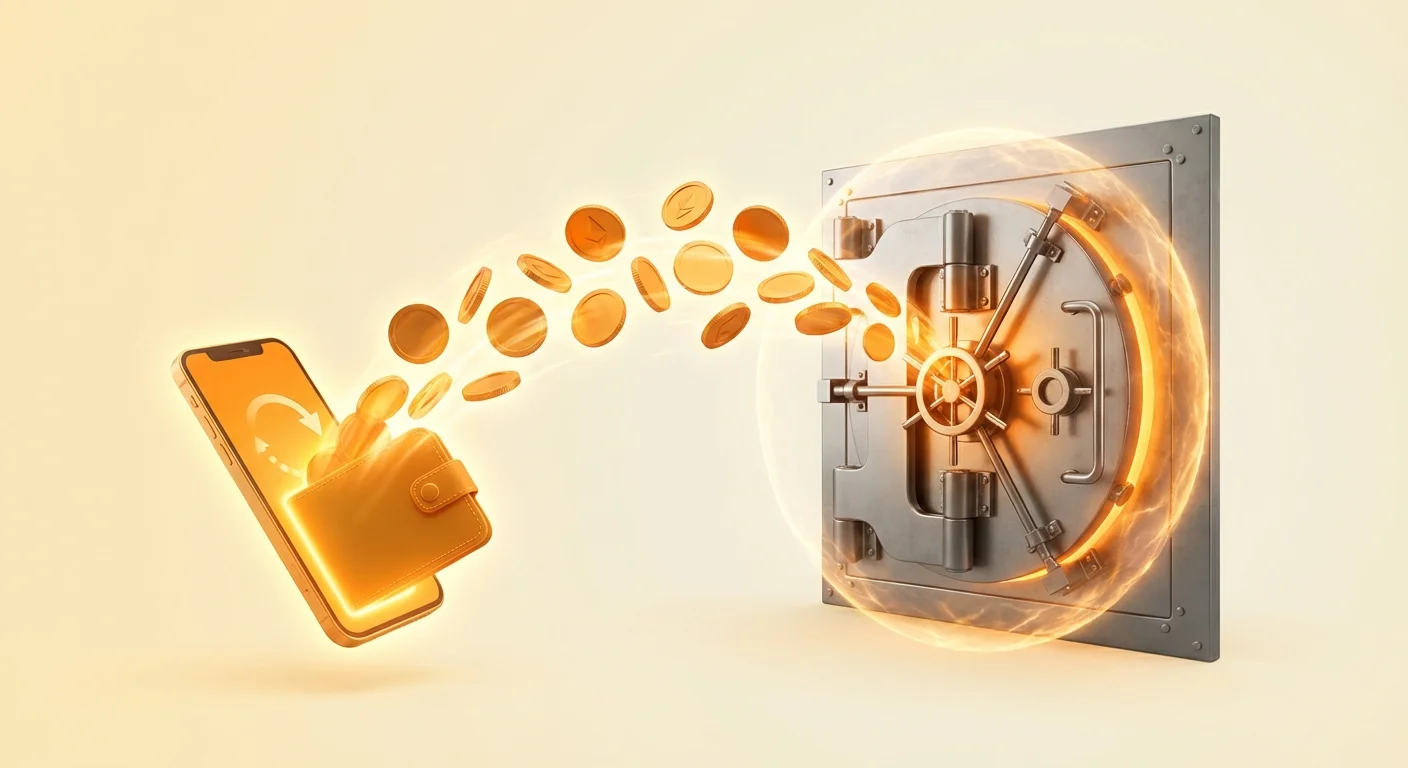
Cryptocurrency wallets act as the primary gateway to the blockchain ecosystem. They allow users to store, send, and receive digital assets like Bitcoin, Ethereum, and Solana. While cold storage solutions provide offline safety for long-term holdings, hot wallets are essential for active users. A hot wallet is any cryptocurrency wallet that is connected to the internet. This connectivity allows for seamless interaction with decentralized applications, quick payments, and active trading.
However, this convenience comes with inherent risks. Because hot wallets are online, they are potential targets for hackers, malware, and phishing attacks. Understanding the mechanics of these tools is vital for anyone participating in the digital economy. Whether you use a mobile app for daily spending or a browser extension for Web3 gaming, security must be your top priority.
The distinction between a hot wallet and a cold wallet defines your security strategy. Hot wallets are comparable to a physical wallet you carry in your pocket. You keep a small amount of cash in it for coffee, lunch, or transportation. You would not walk around with your entire life savings in your back pocket. Similarly, hot wallets should only hold funds needed for immediate use.
Cold storage, such as hardware devices or paper wallets, acts like a bank vault. These methods keep private keys completely offline, removing the attack vector of internet-based theft. Integrating hot wallets into your routine requires accepting that they are less secure than vaults but necessary for utility. The goal is to mitigate risk while maintaining the ability to transact freely.
Understanding Hot Wallet Architecture
To secure your assets effectively, you must first understand the different forms hot wallets take. Each type operates on a specific device or platform, offering unique advantages and distinct vulnerabilities. The three main categories are mobile wallets, desktop clients, and browser extensions.
Mobile Wallets and Operating System Security
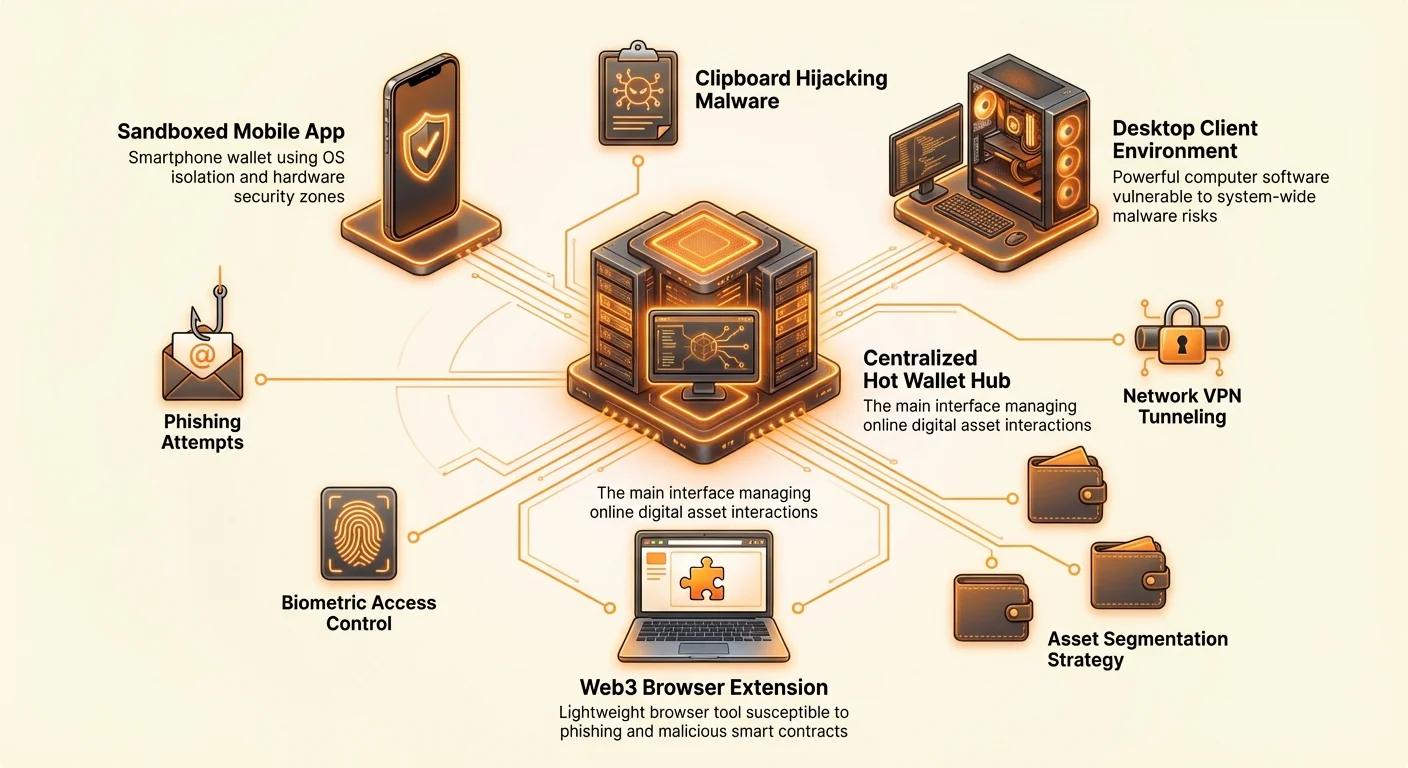
Mobile wallets are applications installed on smartphones running iOS or Android. These are often considered the most secure form of hot wallet for the average user. Modern smartphone operating systems use "sandboxing," which isolates apps from one another. This prevents a malicious app from easily reading the data of your wallet app.
Additionally, mobile devices often include secure enclaves—specialized hardware chips designed to protect sensitive data like biometric information. When you enable FaceID or fingerprint scanning to access your funds, you are leveraging this hardware security. Mobile wallets are ideal for payments using QR codes and managing assets on the go. They strike a strong balance between accessibility and protection.
Desktop Clients and Malware Risks
Desktop wallets are software programs downloaded and installed directly onto a computer. They offer robust features, often running full nodes or providing advanced coin control options that mobile apps lack. Power users and traders often prefer desktop environments for their larger screens and detailed interfaces.
However, desktop environments are generally more open than mobile operating systems. A computer is often used for downloading files, browsing the web, and installing various third-party software. This increases the risk of encountering malware, such as keyloggers or clipboard hijackers. If a computer is compromised, any hot wallet installed on it is at risk. Users must be vigilant about antivirus software and firewall settings when managing crypto on a PC.
Browser Extensions and Web3 Interaction
Browser extensions are lightweight wallets that live within your web browser, such as Chrome, Firefox, or Brave. They are the primary tool for interacting with the decentralized web, often called Web3. These wallets inject code into websites, allowing you to connect to decentralized exchanges, NFT marketplaces, and gaming platforms seamlessly.
While highly convenient, extensions are susceptible to specific threats. Phishing websites can mimic legitimate dApps to trick users into signing malicious transactions. Furthermore, if a browser is compromised by a malicious extension or plugin, it could theoretically monitor the wallet's activity. Browser wallets should be treated with extreme caution and used primarily for low-value transactions and interactions.
Essential Security Setup and Configuration
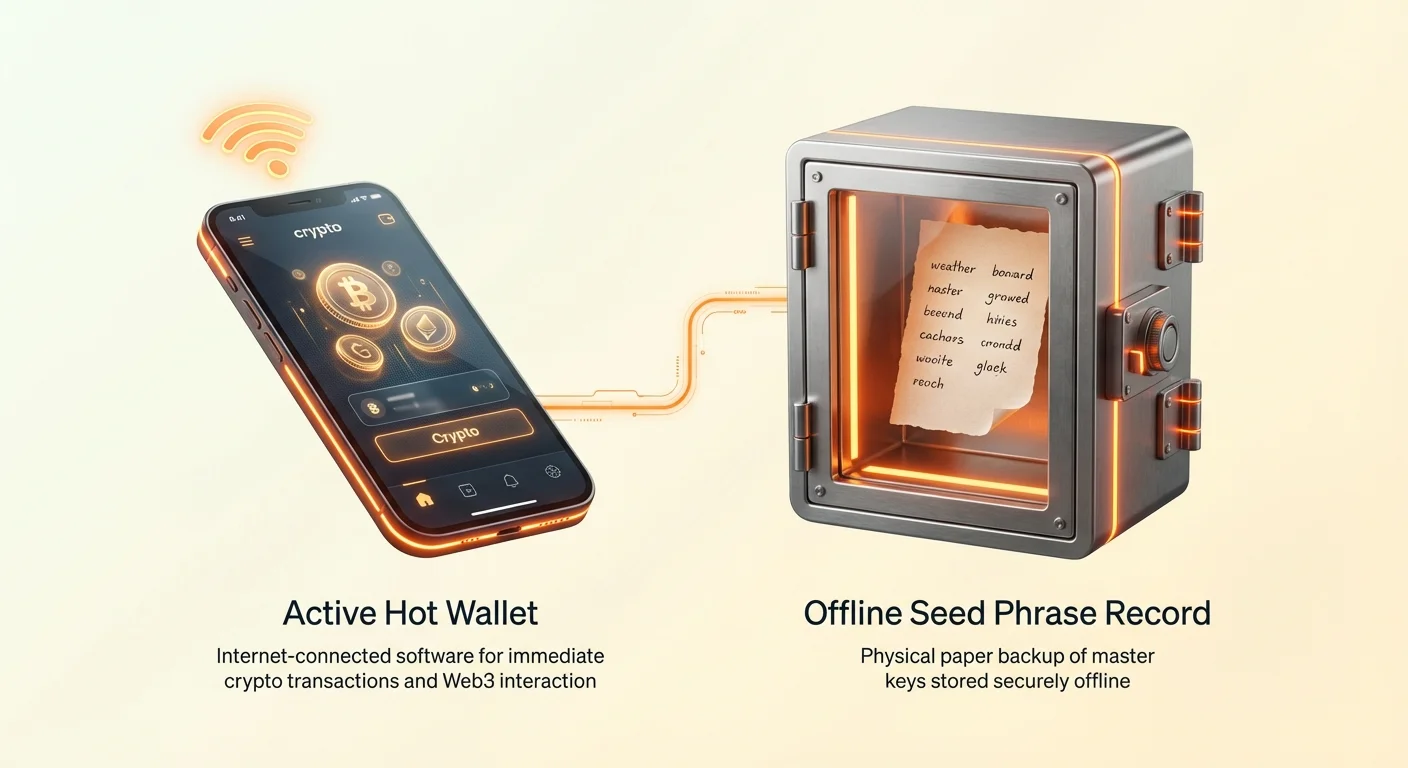
Securing a hot wallet begins the moment you install the software. The setup process involves generating a seed phrase, which serves as the master key to your funds. This phrase usually consists of 12 to 24 random words. If you lose your device, this phrase is the only way to recover your money. Conversely, if someone else gets this phrase, they can steal everything.
Managing the Seed Phrase
The golden rule of crypto security is to never store your seed phrase digitally. Do not take a screenshot of it. Do not save it in a text file on your computer. Do not email it to yourself or save it in cloud storage. If a hacker gains access to your photos or cloud accounts, they will look for these backups immediately.
Write the seed phrase down on physical paper. Verify that you have copied every word correctly and in the right order. Store this paper in a secure location, such as a fireproof safe or a lockbox. For hot wallets, this backup is your ultimate failsafe. Some users create duplicate physical copies to store in separate secure locations to prevent loss due to fire or water damage.
Authentication Layers
Once the wallet is generated, you must secure the application itself. Most wallets allow you to set a PIN code or password. Choose a strong, unique password that you do not use for any other service. This prevents unauthorized access if someone gains physical control of your device.
Enable biometric authentication whenever possible. Fingerprint or facial recognition adds a layer of convenience while ensuring that only you can open the app. For desktop and browser wallets, ensure that the "auto-lock" timer is set to a short duration. This ensures the wallet locks itself after a few minutes of inactivity, preventing access if you step away from your computer.
Two-Factor Authentication and Encryption
Some custodial hot wallets (where a third party holds your keys) offer Two-Factor Authentication (2FA). Always enable this feature using an authenticator app rather than SMS, as SMS can be intercepted. For non-custodial wallets, you are your own bank, so traditional 2FA does not apply to the blockchain itself. Instead, rely on the encryption password you set during creation. This password encrypts the file stored on your device, making it unreadable without the code.
Operational Security for Daily Usage
Setting up the wallet is only the first step. How you behave while using the wallet determines your long-term security. Operational security, or OpSec, refers to the habits and routines you establish to protect your information.
Network Hygiene and VPN Usage
Be mindful of the internet networks you use to broadcast transactions. Public Wi-Fi networks at cafes, airports, or hotels are often insecure. Attackers can intercept traffic on these networks. When accessing your wallet in public, disconnect from Wi-Fi and use your cellular data connection.
If you must use Wi-Fi, utilize a Virtual Private Network (VPN). A VPN encrypts your internet traffic, creating a secure tunnel between your device and the web. This prevents local snooping and adds a layer of anonymity. Privacy-focused wallets often have built-in features or integrations that route traffic through secure networks like Tor, masking your IP address from the blockchain nodes you communicate with.
Validating Smart Contracts and Permissions
When using browser extensions to interact with Web3 applications, you will often be asked to "approve" a token spend. This grants a smart contract permission to move funds from your wallet. Malicious sites can trick users into signing "infinite approval" requests, giving the attacker access to all the tokens in the wallet.
Read every transaction prompt carefully. Check the URL of the website to ensure it is the official domain and not a lookalike. If a site asks for permission to spend an unlimited amount of tokens, reject the request or edit the permission to a specific amount. Regularly audit your connected sites and revoke permissions for applications you no longer use.
Updates and Software Integrity
Keep your wallet software updated at all times. Developers frequently release updates to patch security vulnerabilities and improve performance. Using an outdated version of a mobile app or browser extension can leave you exposed to known exploits.
Only download updates from official sources. For mobile users, this means the Apple App Store or Google Play Store. For desktop users, always download directly from the official wallet website. Verify the website domain before clicking download. Scammers often buy ads on search engines that lead to fake "phishing" sites designed to look exactly like the official download pages.
Recognizing and avoiding Common Threats
The crypto landscape is rife with social engineering attacks. Since blockchain transactions are irreversible, scammers focus on tricking users into voluntarily sending money or revealing their keys. Awareness is your best defense against these tactics.
Phishing and Impersonation
Phishing remains the most common threat to hot wallet users. You might receive an email looking like it comes from a wallet provider, claiming your account is compromised. These emails often direct you to a fake website that asks for your seed phrase. Legitimate wallet providers will never ask for your seed phrase.
Social media is another vector for impersonation. specific support bots or fake accounts may contact you on platforms like X (formerly Twitter) or Discord if you ask for help publicly. They will offer to "validate" or "sync" your wallet. These are scams. Never plug your private key or seed phrase into a website sent to you by a stranger.
Clipboard Hijacking
Clipboard hijacking is a subtle form of malware often found on desktop computers. When you copy a cryptocurrency address to send money, the malware detects the format of the address. It then instantly replaces the copied address in your clipboard with an address owned by the attacker.
If you paste the address and hit send without looking, you are sending money to the hacker. Always verify the first four and last four characters of the destination address after pasting it. Double-checking these characters ensures that the address in the input field matches the one you intended to copy.
Malicious Airdrops and Tokens
Users often find random tokens in their wallets that they did not purchase. These are known as "dust" or malicious airdrops. The goal is to get the user to interact with the token. Often, the token name is a website URL.
If you try to sell or swap these tokens on a decentralized exchange, the smart contract may contain malicious code designed to drain your wallet. The best practice for unknown tokens is to ignore them. Do not try to sell them, move them, or hide them. simply let them sit idle in the wallet, where they cannot do any harm.
Asset Segmentation Strategy
Because hot wallets are vulnerable, you should never keep all your assets in one place. Asset segmentation is the practice of dividing your holdings across multiple wallets based on their purpose and risk level. This limits the potential damage if one wallet is compromised.
| Wallet Type | Primary Use Case | Security Level | Recommended Balance |
|---|---|---|---|
| Hot Mobile Wallet | Daily payments, QR codes | Medium | Spending money ($100-$500) |
| Browser Extension | DeFi, NFT minting, Gaming | Low/Medium | Operational funds only |
| Cold Storage | Long-term savings (HODL) | High | Majority of net worth |
The Checking Account Model
Treat your hot wallet strictly as a checking account. Only keep enough cryptocurrency in it to cover your immediate needs for the week or month. If you buy a large amount of Bitcoin or Ethereum on an exchange or through the wallet app, immediately transfer the bulk of it to cold storage.
Cold storage wallets, such as hardware devices or paper wallets, maintain keys offline. Even if your computer is infected with viruses, the funds in cold storage remain safe because the keys are not on the computer. Regularly "sweep" excess funds from your hot wallet to your cold storage to keep the hot balance low.
Burner Wallets for High-Risk Activity
For users who actively mint NFTs or try out new decentralized finance protocols, "burner wallets" are essential. A burner wallet is a temporary hot wallet created for a specific transaction or short-term use. You fund it with the exact amount needed for a mint or trade.
If the decentralized app turns out to be malicious and drains the wallet, you only lose the small amount you allocated to it. Your main hot wallet and your cold storage remain untouched. Most wallet software allows you to generate multiple accounts or addresses easily, facilitating this strategy without needing new software.
Multi-Signature Options
For added security on desktop or mobile wallets, some users opt for multi-signature (multi-sig) setups. A multi-sig wallet requires more than one private key to authorize a transaction. For example, you might need approval from both your mobile phone and your laptop to send funds.
This protects you against a single point of failure. If a thief steals your phone, they cannot spend the funds because they lack the authorization from your laptop. While more complex to set up, multi-sig provides a middle ground between hot wallet convenience and cold wallet security.
Privacy and Advanced Features
Modern hot wallets offer features that go beyond simple storage. Privacy-centric wallets allow users to manage their financial footprint more discreetly. Since the blockchain is a public ledger, anyone who knows your address can see your entire transaction history.
Privacy Tools and Anonymity
Some wallets support privacy coins or have built-in tools to obscure transaction links. For example, wallets designed for privacy often integrate Tor, enabling you to connect to the blockchain anonymously. This prevents your internet service provider or local network administrator from knowing you are transacting in crypto.
Additionally, features like "coin control" allow advanced users to select exactly which unspent outputs (UTXOs) to use in a transaction. This prevents linking different sources of funds together, maintaining a higher degree of financial privacy. These features are particularly useful for desktop users who want granular control over their on-chain identity.
The Lightning Network
For Bitcoin users, scalability and speed are addressed through the Lightning Network. Lightning wallets are a specific type of hot wallet designed for microtransactions. They enable instant, near-zero fee payments by processing transactions off the main blockchain and settling them later. However, Lightning wallets are inherently hot wallets and should be treated with the same security precautions regarding backup and balance limits.
Using a Lightning wallet is excellent for paying merchants, tipping content creators, or buying small digital goods. Because the fees are so low, it makes Bitcoin viable for daily use. However, Lightning wallets are inherently hot wallets and should be treated with the same security precautions regarding backup and balance limits.
Conclusion
Hot wallets are indispensable tools for navigating the cryptocurrency landscape. They bridge the gap between complex blockchain technology and everyday usability, allowing for mobile payments, Web3 gaming, and instant transfers. However, their connectivity to the internet requires a disciplined approach to security. By choosing the right type of wallet—whether mobile for portability or desktop for control—you establish a baseline for safe interaction.
The safety of your digital assets ultimately depends on your habits. rigorous seed phrase management, the use of burner wallets, and a healthy skepticism of unknown links are your best defenses against theft. Combining these operational practices with a robust segmentation strategy ensures that a security breach in one area does not result in a total loss of funds. Always prioritize the safety of your private keys above convenience.
The most effective security measure is to treat your hot wallet like a physical wallet: never carry more than you can afford to lose.