The rapid expansion of the Solana blockchain has introduced millions of users to high-speed transactions and low-fee decentralized finance (DeFi). At the center of this ecosystem sits the digital wallet, a critical tool that allows users to store, send, and stake SOL and SPL tokens. While the efficiency of Solana is a major draw, the security of the assets held within these wallets relies heavily on the user's understanding of digital wallet storage mechanisms.
Most users interact with the blockchain through "hot wallets," which are applications connected to the internet. These provide seamless access to Web3 applications but introduce specific attack vectors that differ from traditional banking. Understanding the distinction between convenience and security is the first step in protecting digital wealth.
The architecture of Solana wallets involves complex interactions between the user interface and the blockchain itself. Whether using a browser extension or a mobile application, the wallet acts as a bridge. It manages private keys and signs transactions, effectively authorizing the movement of funds.
However, this constant connectivity creates a landscape where vulnerabilities can be exploited if proper precautions are not taken. By examining how these wallets function and where the risks lie, users can better navigate the ecosystem. This article explores the mechanics of Solana ecosystem security, focusing on hot wallet risks and the implications of interacting with decentralized programs.
The Mechanics of Hot Wallets
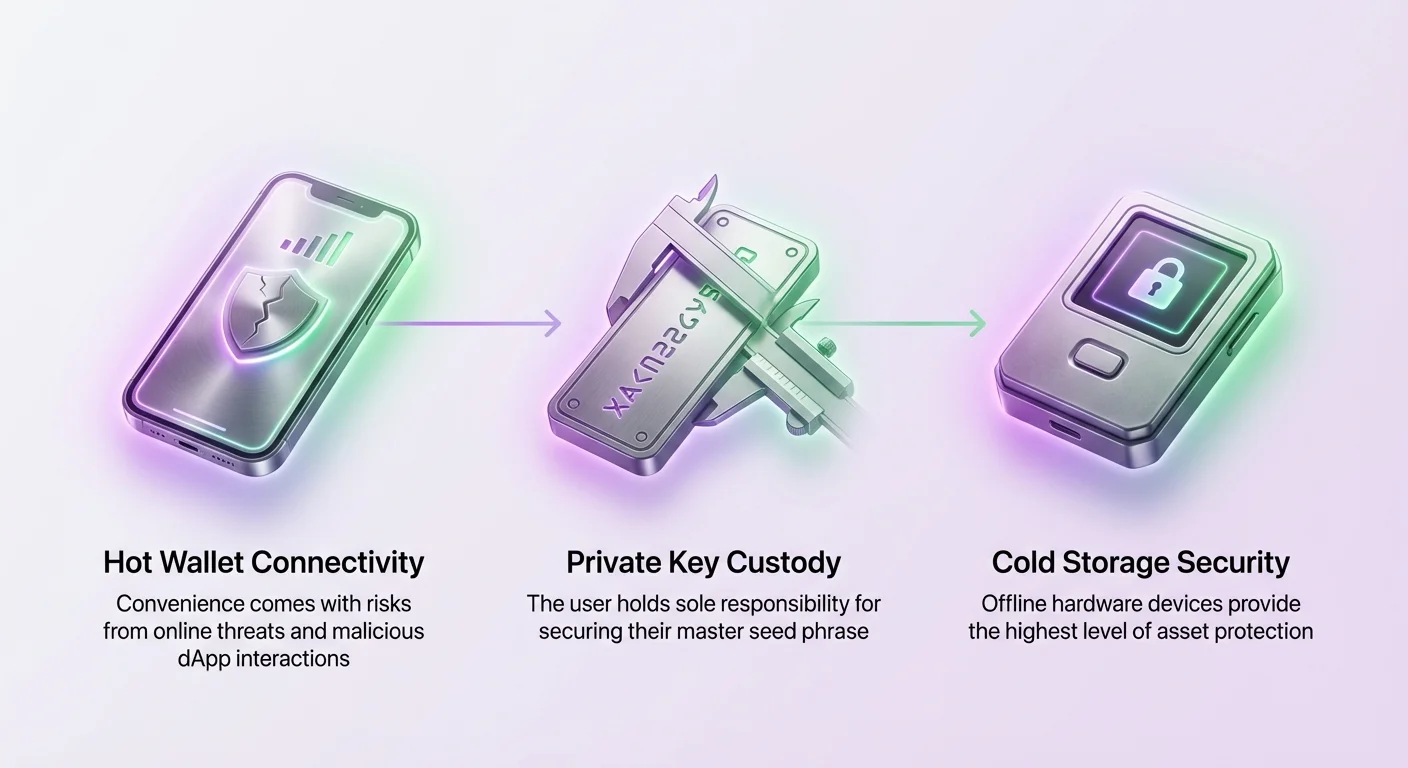
Hot wallets are cryptocurrency wallets that remain connected to the internet to facilitate immediate transactions. In the Solana ecosystem, popular options include Phantom, Solflare, and Trust Wallet. These applications are designed for speed and ease of use, allowing users to interact with decentralized exchanges and NFT marketplaces instantly.
The primary characteristic of a hot wallet is that the private keys are generated and stored on a device that is online. This could be a computer running a browser extension or a smartphone running a mobile app. The keys are typically encrypted within the device's storage, requiring a password or biometric authentication to access.
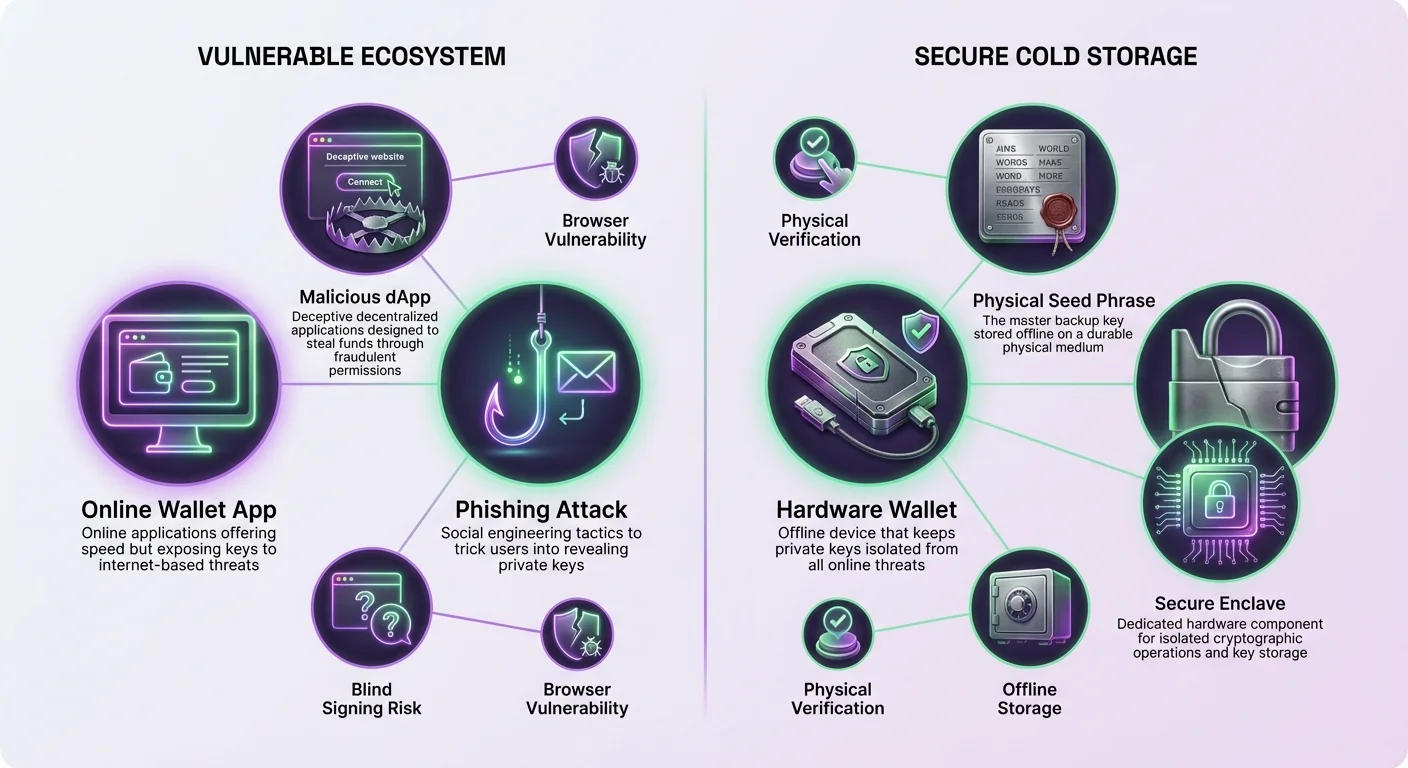
While this encryption offers a layer of protection, the online nature of the device means the keys exist in an environment accessible to external threats. Malware, keyloggers, and sophisticated phishing attacks target this specific vulnerability. If a device is compromised, the encrypted keys usually stored within the browser or app data can potentially be extracted.
Browser Extension Risks
Browser extensions are the most common form of Solana wallet for desktop users. Wallets like Phantom and Solflare integrate directly into browsers such as Chrome or Brave. This integration allows the wallet to inject code into websites, enabling the "Connect Wallet" buttons found on DeFi platforms.
The convenience of this integration comes with significant security trade-offs. Because the wallet lives within the browser, it shares the environment with other extensions and the websites visited by the user. A compromised browser or a malicious extension installed alongside the wallet can theoretically monitor activity or attempt to capture input data.
Furthermore, browser-based wallets are susceptible to screen-capturing malware. Since the seed phrase or private key is often displayed on the screen during the setup or backup phase, malicious software running in the background can screenshot this information. This makes the initial setup phase a critical moment for security.
Mobile Wallet Connectivity
Mobile wallets bring the power of the Solana blockchain to iOS and Android devices. Apps like Trust Wallet and the mobile versions of Phantom provide portability, allowing users to trade and send assets from anywhere. These apps often utilize the device's secure enclave to store keys, which offers robust hardware-level protection.
Despite this, mobile devices are prone to theft and loss. If a device falls into the wrong hands, the security of the funds depends entirely on the strength of the device's passcode and the wallet's specific authentication method. Simple PINs or weak passwords can be brute-forced if the attacker has physical access to the phone.
Additionally, mobile ecosystems are not immune to application-based attacks. downloading a fake wallet app that mimics a legitimate one is a common trap. These imposter apps function normally but send the user's private keys directly to the attacker upon creation. Verifying the authenticity of the app download source is vital.
Understanding Program Interactions and Permissions
Solana operates differently from some other blockchains due to its unique account model and reliance on programs (smart contracts). When a user connects a wallet to a decentralized application (dApp), they are essentially granting that application permission to request transaction signatures.
This interaction is where many security incidents occur. Users often click through approval prompts without fully understanding the permissions they are granting. In the Solana ecosystem, interacting with a dApp involves sending instructions to a specific program address. If the interface is compromised or the program is malicious, the user might inadvertently authorize a transaction that drains their wallet.
The Danger of Blind Signing
One of the most significant risks in DeFi interactions is "blind signing." This occurs when a wallet is unable to decode the complex transaction instruction data of a transaction into a human-readable format. The user is presented with a prompt to approve a transaction without knowing exactly what the outcome will be.
Legitimate dApps strive to provide clear transaction simulations, showing the estimated balance change before approval. However, malicious sites intentionally obscure this data. They may present a transaction that looks like a simple token swap or a staking deposit but is actually a "set authority" or "transfer" instruction.
Once signed, the blockchain executes the instruction irreversibly. This vulnerability highlights the importance of using wallets that offer robust transaction simulation and warning features. If a wallet cannot verify what a transaction does, proceeding involves a high degree of trust in the website being used.
Phishing and Malicious Front-Ends
Phishing remains the primary method for compromising Solana wallets. Attackers create replica websites that look identical to popular DeFi platforms or NFT minting sites. These sites are often promoted through social media ads, discord direct messages, or manipulated search engine results.
When a user connects their wallet to one of these fraudulent sites, the site triggers a transaction request. Instead of interacting with a legitimate liquidity pool or minting contract, the transaction interacts with a program designed to transfer assets to the attacker.
Since the user believes they are on a safe platform, they often authorize the transaction quickly. This social engineering tactic bypasses the technical encryption of the wallet by tricking the user into voluntarily handing over access. Security features like "phishing protection" in wallets like Phantom help identify known bad domains, but new sites appear daily.
Private Key Custody and Seed Phrases
The foundation of cryptocurrency security is the seed phrase. This sequence of 12 or 24 words is generated when a new wallet is created. It acts as the master key for the wallet. Anyone who possesses this phrase has complete, unrestricted access to the funds, regardless of any passwords or biometrics set on a specific device.
Solana wallets are non-custodial, meaning the provider (such as Phantom or Solflare) does not have access to the user's seed phrase or private keys. This places the entire burden of security on the user. If the seed phrase is lost, the funds are unrecoverable. If the seed phrase is stolen, the funds are gone.
Proper Storage Techniques
Storing a seed phrase digitally is a major security violation. Taking a screenshot, saving it in a text file, emailing it to oneself, or storing it in cloud notes exposes the phrase to anyone who gains access to those digital accounts. Hackers often scan compromised cloud storage and email accounts specifically looking for word combinations that resemble seed phrases.
The only secure method for storing a seed phrase is offline. Writing it down on paper or engraving it onto a metal plate ensures that it cannot be accessed via the internet. This physical backup should be stored in a secure location, such as a fireproof safe or a bank deposit box.
Recovery Processes
Wallet recovery is a procedure used when a device is lost, damaged, or upgraded. To restore access to the Solana funds, the user must download a compatible wallet application and select the "I already have a wallet" option. The system will then prompt for the seed phrase.
It is critical to ensure that the recovery is performed on a secure device and through an official application. Entering a seed phrase into a fake recovery site or a compromised computer will result in immediate theft. Users must verify the integrity of the software they are using before typing in these critical words.
Hardware Wallets and Cold Storage
For users holding significant amounts of SOL or SPL tokens, relying solely on a hot wallet is generally considered insufficient. The gold standard for security is the use of a hardware wallet, often referred to as cold storage. Devices like Ledger and Trezor are designed to keep private keys permanently offline.
A hardware wallet generates the keys within its own secure chip. These keys never leave the device. When a user wants to send a transaction, the unsigned transaction data is sent from the computer to the hardware device. The user verifies the details on the device's physical screen and presses a physical button to sign it.
Integration with Solana Wallets
Modern hardware wallets integrate seamlessly with popular Solana interfaces. Users can connect their Ledger or Trezor to Phantom or Solflare. In this setup, the browser extension acts merely as a viewing interface. It displays balances and initiates transactions, but it cannot sign them.
This hybrid model combines the user experience of a hot wallet with the security of cold storage. Even if the computer is infected with malware, the attacker cannot sign a transaction without physical possession of the hardware device and the PIN code required to unlock it.
The table below outlines the key differences between storage methods:
| Feature | Hot Wallet (Phantom/Trust) | Hardware Wallet (Ledger/Trezor) |
|---|---|---|
| Connectivity | Always Online | Offline (Cold Storage) |
| Key Storage | Encrypted on Device/Browser | Secure Element Chip |
| Transaction Signing | One-click/Password | Physical Button Confirmation |
Network and Asset Management Risks
Beyond the wallet itself, the management of assets within the Solana network carries inherent risks. The low cost of transactions on Solana makes it a target for "dust attacks" and spam tokens. Users may find unknown tokens appearing in their wallets.
Beyond the wallet itself, the management of assets within the Solana network carries inherent risks. The low cost of transactions on Solana makes it a target for "dust attacks" and spam tokens. Users may find unknown tokens appearing in their wallets. Interacting with these unknown tokens can be dangerous. Often, these tokens are associated with malicious websites or schemes. Attempting to sell or swap them usually requires approving a transaction that could compromise legitimate assets. The safest course of action is to ignore or hide these unsolicited assets.
Furthermore, the speed of Solana means that mistakes are finalized instantly. Unlike traditional banking transfers which can sometimes be reversed or held, a blockchain transaction is immutable once confirmed. Sending funds to the wrong address or the wrong network results in permanent loss.
Conclusion
Securing assets within the Solana ecosystem requires a proactive approach that goes beyond simply downloading a wallet. While applications like Phantom, Solflare, and Trust Wallet offer powerful gateways to Web3, they operate as hot wallets with inherent connectivity risks. The convenience of instant dApp interaction must be balanced against the dangers of phishing, malicious program interactions, and device compromise.
True security lies in the proper management of private keys and seed phrases. Moving high-value assets to cold storage solutions like hardware wallets ensures that private keys remain isolated from online threats. Additionally, developing a habit of scrutinizing every transaction signature and verifying website authenticity is essential for avoiding scams that bypass technical defenses.
Ultimately, the non-custodial nature of cryptocurrency empowers users with total control, but it also demands total responsibility. By understanding the mechanics of hot wallets and the risks associated with program interactions, users can confidently participate in the Solana ecosystem while keeping their investments safe.
Treat your seed phrase like physical cash and never enter it into a website or share it with support staff.