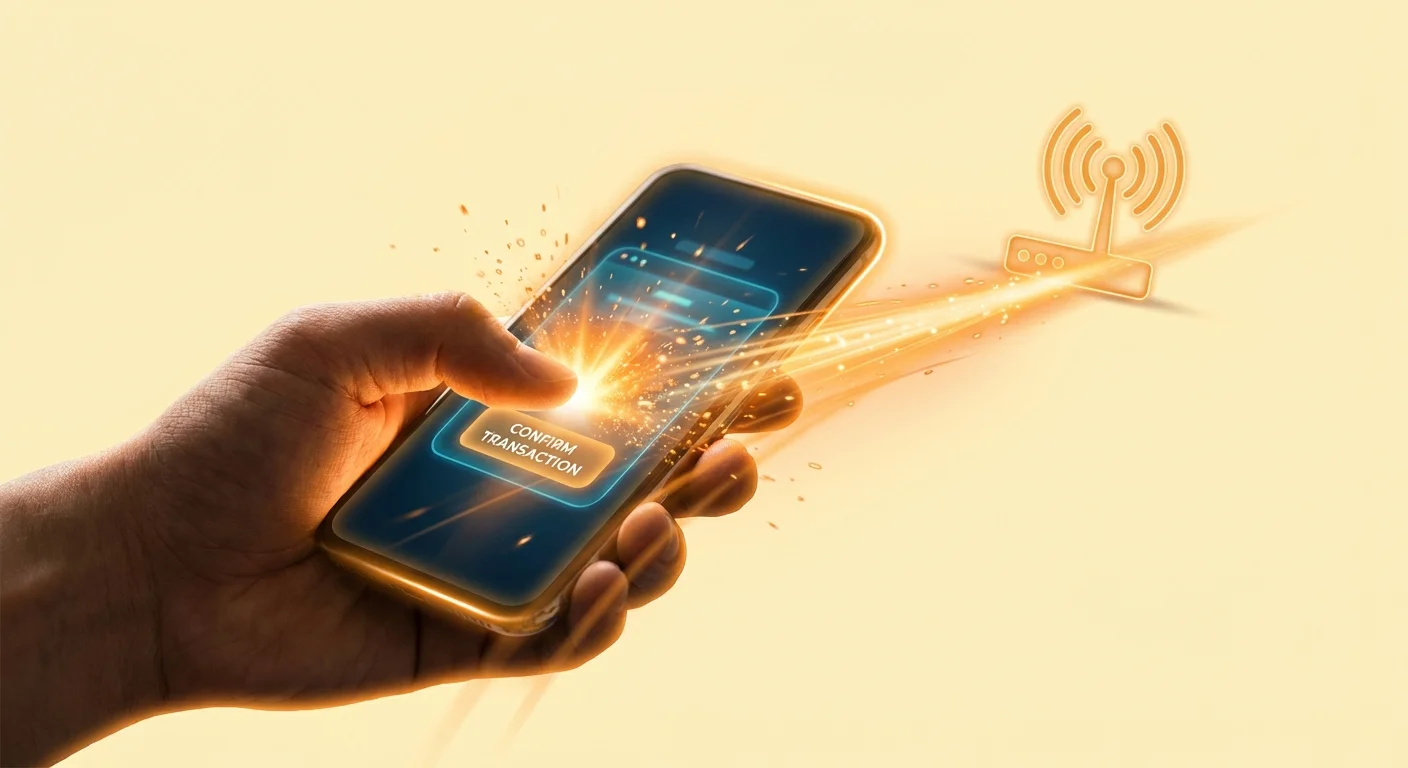
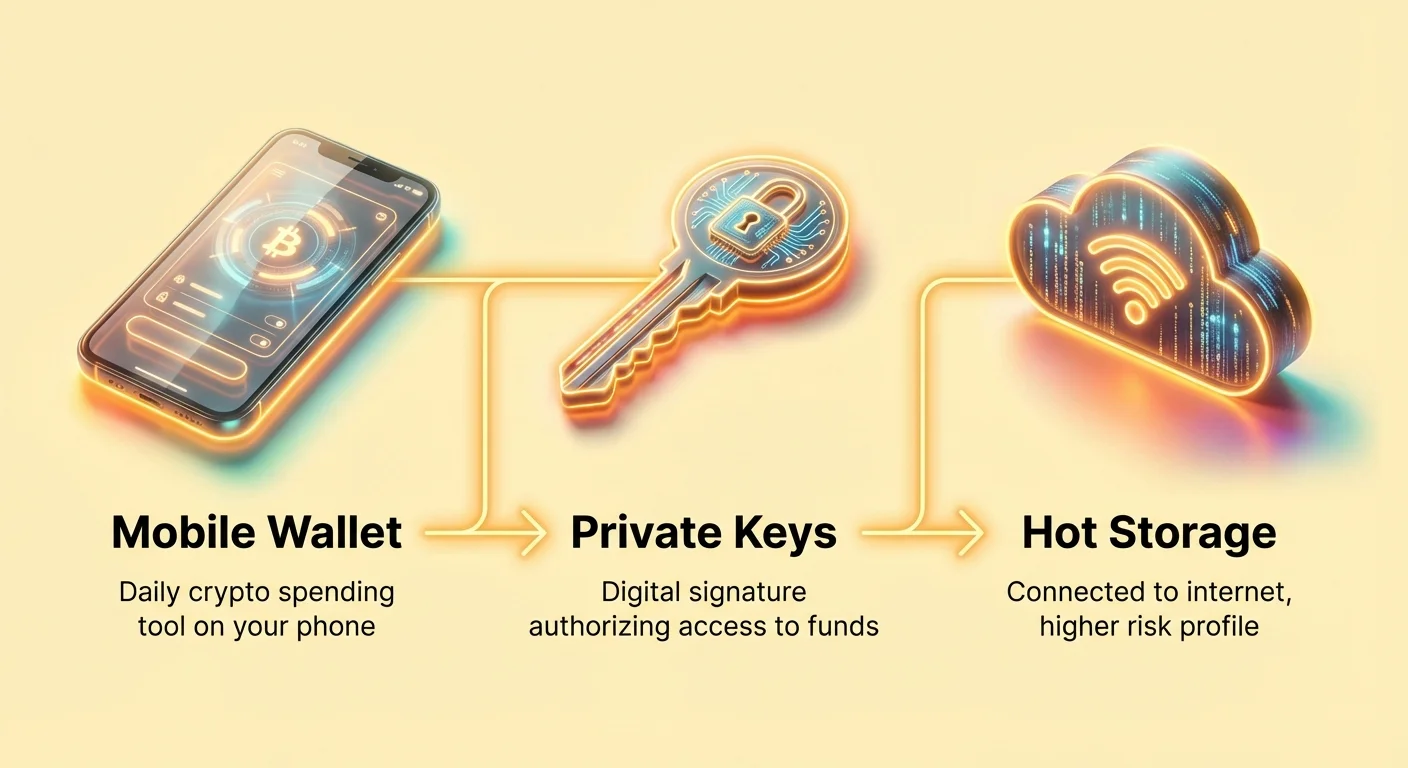
Kad jūs pirmo reizi ienākat kriptovalūtu pasaulē, „makas“ jēdziens var būt mulsinošs. Atšķirībā no tradicionālās ādas maciņa, kas tur fizisku skaidru naudu, kriptomaka faktiski neuzglabā jūsu monētas. Tā vietā tā uzglabā ļoti sarežģītas digitālās atslēgas, kas ļauj jums piekļūt un tērēt jūsu kriptoaktīvus decentralizētajā blokķēdes tīklā.
Mobilās makas — aplikācijas, kas uzstādītas tieši jūsu viedtālrunī — ir visizplatītākais ieejas punkts jauniem lietotājiem un izvēlētā izvēle ikdienas aktivitātēm. Tās piedāvā nepārspējamu ērtumu, ļaujot pārbaudīt atlikumus, sūtīt līdzekļus vai mijiedarboties ar decentralizētām aplikācijām (DApps) jebkurā laikā un jebkur.
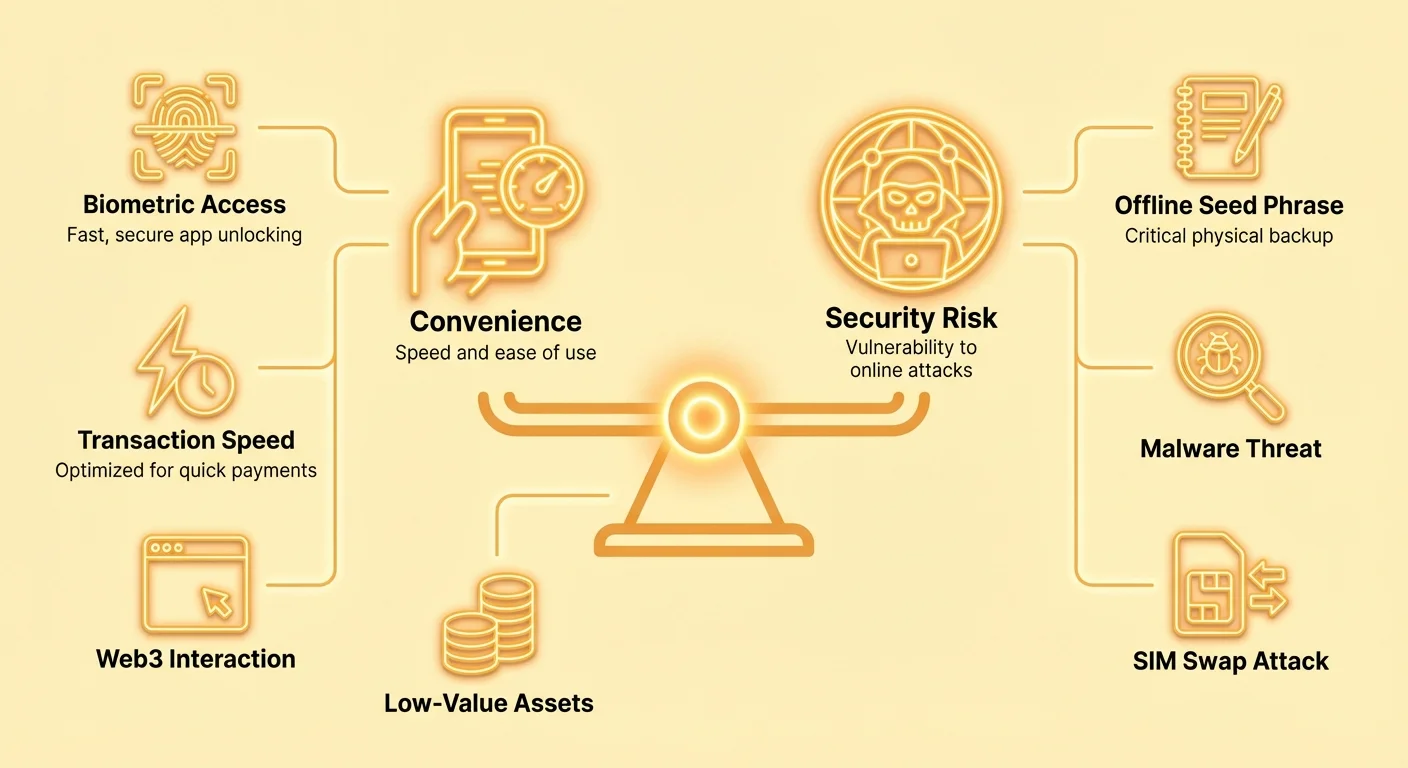
Tā kā jūsu mobilā ierīce ir pastāvīgi savienota ar internetu, mobilā maka tiek uzskatīta par „karsto uzglabāšanu“. Tas nozīmē, ka tā ir pakļauta lielākiem tiešsaistes draudiem, hakeru uzbrukumiem un ierīces specifiskiem uzbrukumiem nekā bezsaistes „aukstā uzglabāšana“ aparatūras ierīces. Tāpēc pareizās mobilās makas izvēle ir mazāk par funkciju skaita atrašanu un vairāk par perfektu līdzsvaru starp augstu izmantojamību un spēcīgu operacionālo drošību biežiem, mazvērtīgiem darījumiem.
The Mobile Wallet Advantage: Speed and Convenience
Mobile wallets are designed for action. They are the equivalent of carrying a small amount of spending money in your physical wallet—enough for daily needs, but not your life savings. Their primary appeal lies in their speed, user interface (UX), and seamless integration into modern life.
The 'Hot Wallet' Distinction
A mobile wallet falls under the category of a "hot wallet" because the device holding your private keys is always online. This is the core factor driving its utility and risk profile.
Key Characteristics of a Hot Wallet:
- Instant Accessibility: You can authorize transactions within seconds, which is crucial for purchasing goods, tipping, or reacting quickly to market movements.
- Web3 Interaction: Many modern mobile wallets, such as MetaMask or Phantom, include built-in browser capabilities, allowing you to connect directly to DeFi protocols (decentralized finance) and NFT marketplaces without needing a laptop.
- Low Barrier to Entry: Setting up a mobile wallet often takes only minutes and requires no special hardware, making it the fastest way for a beginner to get started.
For high-value assets intended for long-term holding (savings), a hardware wallet is the standard recommendation. But for the small amounts of crypto needed to pay gas fees or make daily purchases, mobile wallets are irreplaceable.
User Experience (UX) and Instant Sync
Mobile wallets are successful because they hide the complexity of the blockchain behind a clean, intuitive interface. They simplify steps like calculating network fees and address management.
Crucially, mobile wallets use a process called Simplified Payment Verification (SPV) or rely on centralized servers maintained by the wallet developer to function. This allows the wallet to "instantly sync" with the blockchain without downloading the hundreds of gigabytes of data that a full node would require.
- The UX Benefit: When you open the app, your balance updates immediately. There is no waiting time, which is essential for a mobile application.
- The Hidden Trade-off: Relying on SPV means your wallet trusts the servers it connects to for accurate transaction history. While highly practical, this introduces a slight element of centralization compared to running your own full node, which verifies every transaction independently. For most daily transactions, this trust trade-off is acceptable for the sake of speed.
Transaction Speed and Network Fees
Mobile wallets often optimize for transaction speed by allowing users to easily adjust their network fee (known as "gas" on many chains like Ethereum). A higher fee ensures the transaction is prioritized by miners or validators, leading to faster confirmation times.
A good mobile wallet comparison must look beyond just the raw speed of the underlying blockchain (e.g., Solana is fast, Bitcoin is slow) and evaluate:
- Fee Customization: Does the app allow you to easily choose low, medium, or high fees based on current network congestion?
- Network Compatibility: Does the wallet support cheap, fast Layer 2 networks (like Polygon or Arbitrum) which process transactions off the main chain, significantly reducing costs and speed?
- Built-in Swapping: Wallets that offer instant, in-app currency swaps (often using integrated decentralized exchanges or DEXs) reduce the number of steps required, boosting overall operational efficiency.
Security Fundamentals for Daily Use
Because mobile wallets are used for daily operations, they must employ robust defenses against the most common vectors of attack: software vulnerabilities, device loss, and social engineering.
Understanding Private Keys and Seed Phrases (The Core Principle)
All crypto wallets rely on a private key—a secret number that mathematically proves you own your funds. The mobile wallet stores this key securely on your device.
When you first set up the wallet, you are given a Seed Phrase (or recovery phrase), typically 12 or 24 words (like "tree, banana, river, fork..."). This phrase is the master key to all your crypto. If your phone is lost, stolen, or broken, this phrase is the only way to restore your wallet and regain access to your assets on a new device.
The Golden Rule of Mobile Wallet Security: The seed phrase must never be stored digitally on the device, backed up to the cloud, or screenshotted. It must be written down physically and stored offline in a secure, fireproof location, separate from the phone itself.
The Necessity of PINs and Biometrics
For daily security, mobile wallets rely on layered protection designed to stop casual theft or prying eyes. These features lock the app itself, not the cryptographic keys.
- Wallet PIN: A short, numerical code required every time the app is opened or a transaction is signed.
- Biometric Authentication (Face ID/Fingerprint): This feature uses your phone's native security hardware to provide quick, secure access. Biometrics are superior to short PINs because they are nearly impossible for a thief to guess, and they prevent accidental transactions if someone briefly accesses your unlocked phone.
Actionable Tip: Always enable immediate biometric protection for your mobile wallet, even if the phone itself is already password-protected. This creates a necessary second layer of security specifically for your financial assets.
When to Use a Mobile Wallet (Use Case and Value Threshold)
A critical component of secure crypto management is understanding the appropriate use case for each wallet type.
Mobile wallets are best suited for:
- Spending Capital: Funds intended for immediate transactions (paying for coffee, buying an NFT drop, making a quick trade).
- DeFi Interaction: Small amounts used to "stake" or provide liquidity on decentralized applications.
- Low-Risk Holdings: Generally, any amount you would feel comfortable keeping in a checking account or cash in your physical wallet (e.g., 5-10% of your total crypto portfolio).
The Threshold Rule: Treat your mobile wallet balance as "pocket money." If the value of the assets stored in your mobile wallet exceeds an amount that would genuinely hurt you if it were lost instantly, those funds should be moved to secure cold storage (like a hardware wallet).
Galveno drošības kompromisu analīze mobilajās makās
Mobilās makas izstrādātāji pastāvīgi cenšas atrast līdzsvaru starp produkta vieglumu, lai lietotāji to ātri pieņemtu, un pietiekamu drošību, lai izturētu profesionālus uzbrukumus. Izpratne par kompromisiem galvenajos dizaina lēmumos ir vitāli svarīga zinošam lietotājam.
Biometriskā drošība: ērtums pret juridisko risku
Lai gan biometrija (Face ID, Touch ID) piedāvā labāko ikdienas ērtumu, tā rada unikālu, uzlabotu drošības apsvērumu.
- Ērtums: Biometrija ir ātra un ļauj parakstīt darījumus bez garas paroles ievadīšanas atkārtoti.
- Risks: Dažās jurisdikcijās tiesu precedentu liecina, ka indivīdu var piespiedu kārtā atbloķēt ierīci vai aplikāciju, izmantojot biometrisko identifikatoru (pirkstu nospiedumu vai seju). Ir ievērojami grūtāk (bieži juridiski neiespējami) piespiedu kārtā atklāt iegaumētu, sarežģītu PIN vai paroli.
Uzlabota labākā prakse: Augstākas vērtības darījumiem vai jutīgām mijiedarbībām daži lietotāji pilnībā izslēdz biometriju un izmanto spēcīgu, unikālu, iegaumētu paroli vai PIN. Tas nodrošina ticamu noliegumu un absolūtu kontroli pār piekļuvi, pat ja ierīci fiziski konfiscē.
Sēklas frāze pret mākoņa dublēšanas riskiem
Pazaudētas makas atjaunošana ir, iespējams, visriskantākā darbība kripto telpā. Pastāv divas pretējas pieejas sēklas frāzes uzglabāšanai:
| Uzglabāšanas metode | Drošības profils | Ērtums | Riska scenārijs |
|---|---|---|---|
| Fiziska/bezsaistes uzglabāšana | Augstākā. Atslēgas ir gaisa plaisā no interneta. | Zems. Jāatrod frāze fiziski, ja telefons pazaudēts. | Uguns, plūdi, fiziska nozaudēšana. |
| Mākoņa dublēšana (piem., šifrēta iCloud/Google Drive) | Vidēja. Dublikāti ir šifrēti, bet paļaujas uz trešās puses serveri. | Augsts. Atjaunošana ir ātra un viegla, mainot telefonus. | Mākoņa provajdera uzlaušana, kompromitētas pieteikšanās akreditācijas vai ļaunprātīga mākoņa aplikācijas piekļuve. |
Dažas iesācējiem paredzētas mobilās makas tagad piedāvā funkcijas, kas šifrē un uzglabā sēklas frāzi lietotāja iCloud vai Google Drive vieglai dublēšanai. Lai gan neticami ērti, tas ievērojami palielina centralizācijas risku. Ja jūsu vispārējais e-pasta konts vai mākoņa pieteikšanās ir kompromitēta, uzbrucējs iegūst tūlītēju piekļuvi jūsu galvenajai atslēgai.
Ieteikums: Izvairieties uzglabāt sēklas frāzi digitāli, pat šifrētā mākoņa uzglabāšanā. Hakeru riska pieaugums pārsniedz nelielo ērtuma palielinājumu. Izturieties pret sēklas frāzi kā pret fizisku mājas īpašuma apliecību — tā jāaizsargā bezsaistē.
Pilna mezgla verificēšana pret vienkāršoto maksājuma verificēšanu (SPV)
Šī tehniskā atšķirība tieši attiecas uz uzticības līmeni, ko jūs piešķirat maka sniedzējam:
- Pilna mezgla verificēšana: Lejupielādē un verificē visu blokķēdes vēsturi. Tas ir zelta standarts drošībai un privātumam, jo garantē uzticamu informāciju tieši no decentralizētā tīkla. (Pārāk lēts un datu intensīvs mobilajām ierīcēm.)
- SPV (vienkāršotā maksājuma verificēšana): To izmanto lielākā daļa mobilās makas. Maka lejupielādē tikai nelielas blokķēdes galvenes daļas un paļaujas uz savienojumiem ar citiem tīkla mezgliem (bieži maka izstrādātāja serveriem), lai apstiprinātu darījuma derīgumu.
Mobilajām makām jāizmanto SPV, lai būtu ātras. Kompromiss ir tas, ka jūs implicitēji uzticaties, ka savienotie serveri ir godīgi. Ikdienas tēriņiem šis uzticības līmenis ir nepieciešams un parasti zema riska. Tomēr nozīmīgiem, ilgtermiņa turējumiem pilna mezgla izmantošana (bieži caur darbvirsmas maku vai aparatūras maku ar jūsu paša mezglu) paliek suverēnākā metode.
Operational Security Risks Unique to the Mobile Environment
Mobile phones introduce security complexities that desktop computers and hardware devices do not share. Managing these specific operational risks is the single most important factor in securing your daily use wallet.
Preventing SIM Swap Attacks
A SIM swap attack is one of the most devastating threats to mobile crypto users and exploits the phone carrier, not the crypto wallet itself.
How a SIM Swap Works: An attacker socially engineers your phone carrier (or bribes an employee) to transfer your phone number (and thus your SIM card) onto a device they control. Once they have your phone number, they can intercept all incoming calls and text messages, including critical security codes.
The Danger to Crypto: If an attacker compromises your email or crypto exchange account password, they use the intercepted SMS code (the "Second Factor") to complete the takeover. Even if the wallet itself is self-custodial, SIM swaps often target centralized exchanges or semi-custodial wallets where SMS is used for account recovery.
Defense Strategies:
- Disable SMS 2FA: Never use SMS (text messages) for 2FA on crypto exchanges, email accounts, or any financial services.
- Use Hardware Security Keys (YubiKey): These are physical devices that plug into your phone and provide un-phishable 2FA.
- Use Authenticator Apps (Google Authenticator/Authy): Time-based One-Time Password (TOTP) apps generate codes locally on your device, making them immune to interception via SMS.
- Implement a Porting PIN/Password: Contact your mobile provider and set a special, complex password that must be provided before your number can ever be transferred to a new device.
Managing App Permissions and Malicious Software
Mobile operating systems (iOS and Android) control what level of access an application has to your device (location, camera, contacts, etc.).
The Risk: Malicious wallet apps, or legitimate apps that ask for excessive permissions, can potentially expose sensitive data or intercept clipboard information (like a copied crypto address).
Defense Strategies:
- Download Only from Official Stores: Never install a crypto wallet from a third-party website or an unverified link. Check the developer name, download count, and user reviews carefully.
- Audit Permissions: Regularly review the permissions granted to your crypto apps. A wallet does not need access to your camera (unless scanning a QR code), location, or microphone. Revoke any unnecessary permissions.
- Keep Your OS Updated: Mobile operating system updates frequently patch critical security vulnerabilities that hackers often exploit to gain access to stored application data.
Dealing with Physical Phone Loss or Theft
While hardware wallets are immune to phone theft, mobile wallets face a direct threat if your phone is stolen while unlocked or if the thief can guess the PIN.
Defense Strategies:
- Immediate Screen Lock: Set your phone’s screen lock timer to the absolute minimum (e.g., 30 seconds).
- Remote Wipe Capabilities: Ensure you know how to use your phone's built-in "Find My Device" or similar remote wipe feature (via iCloud or Google) to destroy all data if the device cannot be recovered.
- Use Decoy Apps: If possible, use a separate, less important mobile wallet app as the primary shortcut on your home screen, keeping the app holding your primary spending funds hidden in a folder.
Praktisks salīdzinājuma ietvars: Atrast labāko mobilo maku
„Labākā“ mobilā maka pilnībā atkarīga no jūsu aktivitāšu profila. NFT kolekcionāram nepieciešama spēcīga Web3 pārlūkprogrammas funkcionalitāte, kamēr privātumu prioritizējošs lietotājs meklē makas ar iebūvētu Tor atbalstu vai uzlabotu sēklas pārvaldību.
Funkciju kontrolsaraksts iesācējiem
Salīdzinot mobilās makas, iesācējam jāprioritizē šādas funkcijas, kas uzlabo gan izmantojamību, gan kodoldrošību:
| Funkcija | Drošības vai ērtuma priekšrocība |
|---|---|
| Pašpārvaldnieka (neuzraudzīta) | Drošība. Jūs turat privātās atslēgas (sēklas frāzi). Nepieciešama suverenitātei. |
| Vairāku ķēžu atbalsts | Ērtums. Ļauj pārvaldīt Bitcoin, Ethereum, Solana utt. vienā aplikācijā. |
| Iebūvēta birža/apmaiņa | Ērtums. Ļauj ātri pirkt un mainīt bez līdzekļu pārvietošanas uz centralizētu biržu (CEX). |
| Obligātā biometrija/PIN | Drošība. Nepieciešama sekundāra autentifikācija aplikācijas atvēršanai, aizsargājot pret nejaušu zādzību. |
| NFT skatīšanas iespēja | Ērtums. Spēja skatīt, sūtīt un saņemt digitālās kolekcionējamās lietas tieši aplikācijā. |
| Hierarhiski deterministiska (HD) | Drošība. Ļauj izveidot jaunas publiskas adreses katram darījumam, uzlabojot privātumu. (Lielākā daļa modernu maku ir HD). |
| Atvērtā koda kods | Drošība. Ļauj globālajai izstrādātāju kopienai auditēt kodu kļūdu un aizmugures dēļ. |
Galvenie rādītāji: ātrums, privātums un darījumu izmaksas
Veicot galīgo izvēli, novērtējiet šos trīs kritiskos veiktspējas rādītājus:
1. Darījumu ātrums
Tas bieži saistīts ar makas integrāciju ātrākiem tīkliem. Meklējiet makas ar iebūvētu atbalstu mērogošanas risinājumiem, piemēram, Lightning Network (Bitcoin) vai 2. līmeņa risinājumiem (Ethereum/EVM ķēdēm). Maka, kas atbalsta tikai galveno Bitcoin ķēdi, būs lēnāka un dārgāka nekā tā, kas novirza darījumus caur Lightning Network maziem maksājumiem.
2. Privātuma funkcijas
Lietotājiem, kas uztraucas par datu pakļaušanu, privātums pārsniedz drošību.
- IP adreses maskēšana: Dažas makas novirza trafiku caur privātuma tīkliem (piemēram, Tor) vai izmanto patentotus serverus, lai novērstu trešo pušu saikni starp jūsu darījumu aktivitāti un fizisko atrašanās vietu.
- Adrešu atkārtota izmantošana: Meklējiet makas, kas automātiski ģenerē jaunas publiskas saņemšanas adreses, apgrūtinot novērotājiem izsekot visu jūsu finanšu aktivitāti.
3. Darījumu izmaksas (maksas)
Kvalitatīva mobilā maka nodrošina inteliģentu maksas aprēķinu. Tai jāsniedz precīzs, reāllaika tīkla maksas novērtējums. Dažas uzlabotas makas pat ļauj iestatīt „pielāgotus gāzes limitus“ sarežģītiem darījumiem vai tiem, kas ietver mijiedarbību ar viedu līgumu. Zemākas maksas parasti nozīmē lēnāku apstiprināšanu, tāpēc laba maka skaidri parāda kompromisu.
Secinājumi
Mobilās kriptomakas ir ikdienas mijiedarbības dzinējs digitālajā ekonomikā. Tās piedāvā spēcīgu pieejamības un ātruma apvienojumu, pārvēršot jūsu viedtālruni par Web3 atslēgu. Tomēr tās prasa proaktīvu un disciplīnu drošības pieeju.
Mobilās makas salīdzinājuma galvenā mācība ir atzīt, ka ērtums bieži nāk ar drošības izmaksām. Ieviešot spēcīgu operacionālo drošību — piemēram, atsakoties no SMS 2FA, izturoties pret mobilo maku kā pret „tēriņu kontu“ un fiziski aizsargājot sēklas frāzi —, jūs minimizējat karstās uzglabāšanas inherento risku. Izvēlieties maku, kas līdzsvaro intuitīvu dizainu ar caurskatāmām drošības praksēm, nodrošinot, ka jūsu ceļš uz digitālo pašsuverenitāti ir drošs, ātrs un lietotājam draudzīgs.