
The world of Decentralized Finance (DeFi) is fast-paced, highly competitive, and incredibly technical. Unlike simply holding assets in a secure cold storage wallet, actively engaging in DeFi—such as trading on decentralized exchanges (DEXs), providing liquidity (yield farming), or moving assets between chains (bridging)—requires a specific wallet setup. This configuration must prioritize three things above all others: speed, multi-chain interoperability, and transaction-level security.
A standard crypto wallet, while excellent for holding long-term investments, often lacks the necessary technical fine-tuning to participate profitably in DeFi. Successful participation hinges on being able to react instantly to market changes and ensure your transactions are processed quickly and efficiently without overpaying on network fees (gas).
This guide provides a comprehensive roadmap for configuring your self-custodial wallet—whether mobile, desktop, or hardware-backed—to become a high-performance DeFi tool. We move beyond basic storage and delve into the technical settings required to master the advanced digital economy.
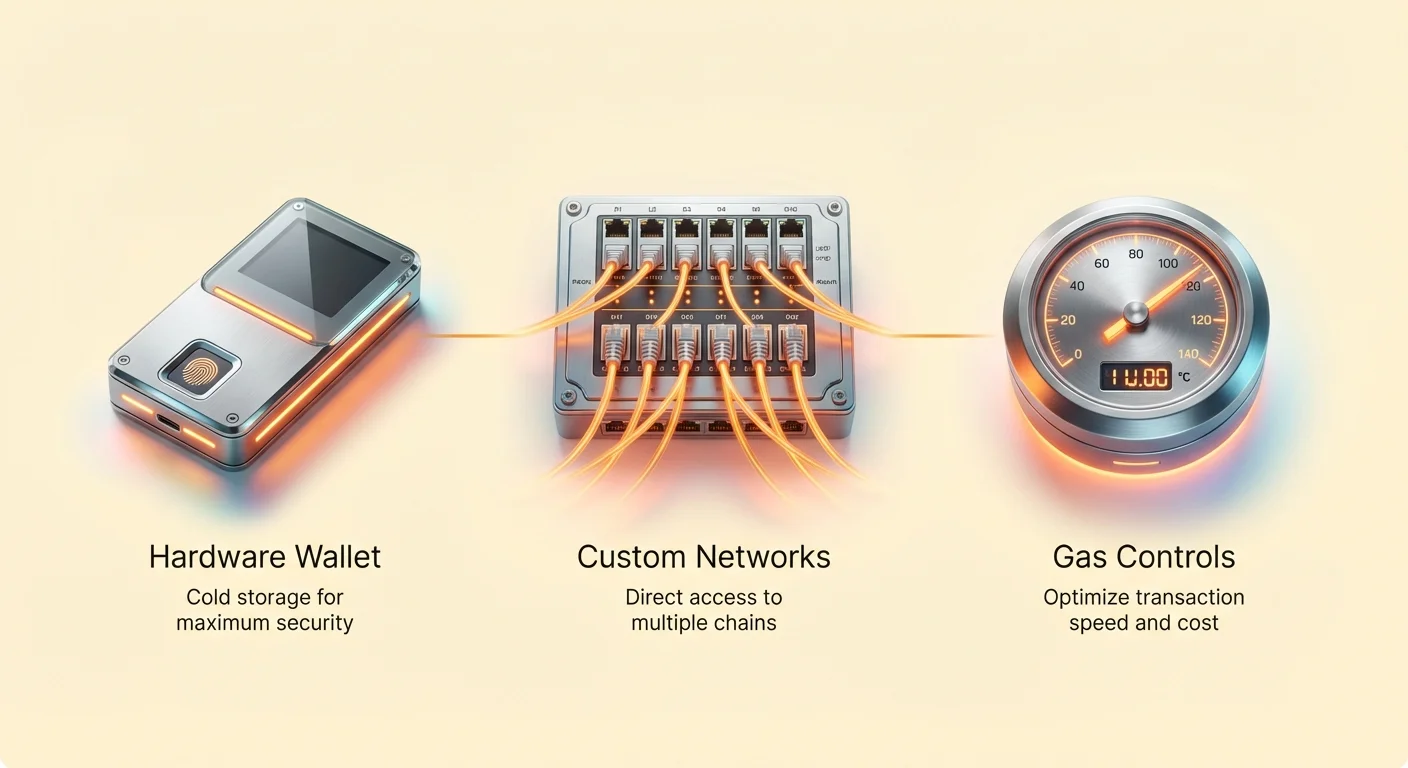
The Foundation of a High-Performance DeFi Wallet
Before optimizing technical settings, we must first establish the correct hardware and software environment. A DeFi wallet must perfectly balance security (protecting your funds) with usability (enabling fast transactions).
Hot vs. Cold Storage in DeFi
The core challenge in DeFi is the constant need to sign transactions quickly. This is where the standard advice of keeping everything on a “cold” (offline) hardware wallet becomes complicated.
- Hot Wallets (Software/Mobile/Browser Extensions): These are connected to the internet and are ideal for frequent interaction. They are fast but carry higher risk because the private keys are stored on a device that is always online. Examples include MetaMask, Trust Wallet, or Phantom.
- Cold Wallets (Hardware Devices): These keep your private keys physically isolated and offline (e.g., Trezor, Ledger). They offer maximum security but require physical confirmation for every transaction, adding critical seconds to the execution time.
The Optimal Configuration: The best DeFi setup utilizes the security of a cold wallet for authorization combined with the usability of a hot wallet for interface. You use a hardware wallet to hold your core funds, but connect it to a software interface (like MetaMask or Rabby) to manage your interactions. This ensures that even if your computer or browser is compromised, the attacker cannot move funds without physical access and confirmation on your hardware device.
Why Speed and Connectivity Matter in DeFi
In high-frequency DeFi activities—like spotting a rapid price difference between two DEXs or depositing into a new, high-yield farm—transaction speed is directly tied to profitability and risk mitigation.
- Mitigating Slippage: When trading large amounts, a slow transaction can result in the price of the asset changing dramatically before your trade executes, leading to "slippage" (you receive less crypto than expected). A fast wallet minimizes the window for this price volatility.
- Competing for Yield: New liquidity pools often offer extremely high Annual Percentage Yields (APYs) that are quickly diluted as more capital rushes in. Being among the first means higher returns, making transaction speed essential.
- Front-Running and Gas Wars: In moments of high network congestion (e.g., major token launches), traders often engage in "gas wars," bidding up fees to ensure their transaction is processed first. A properly configured wallet allows you to accurately estimate and set competitive gas fees.
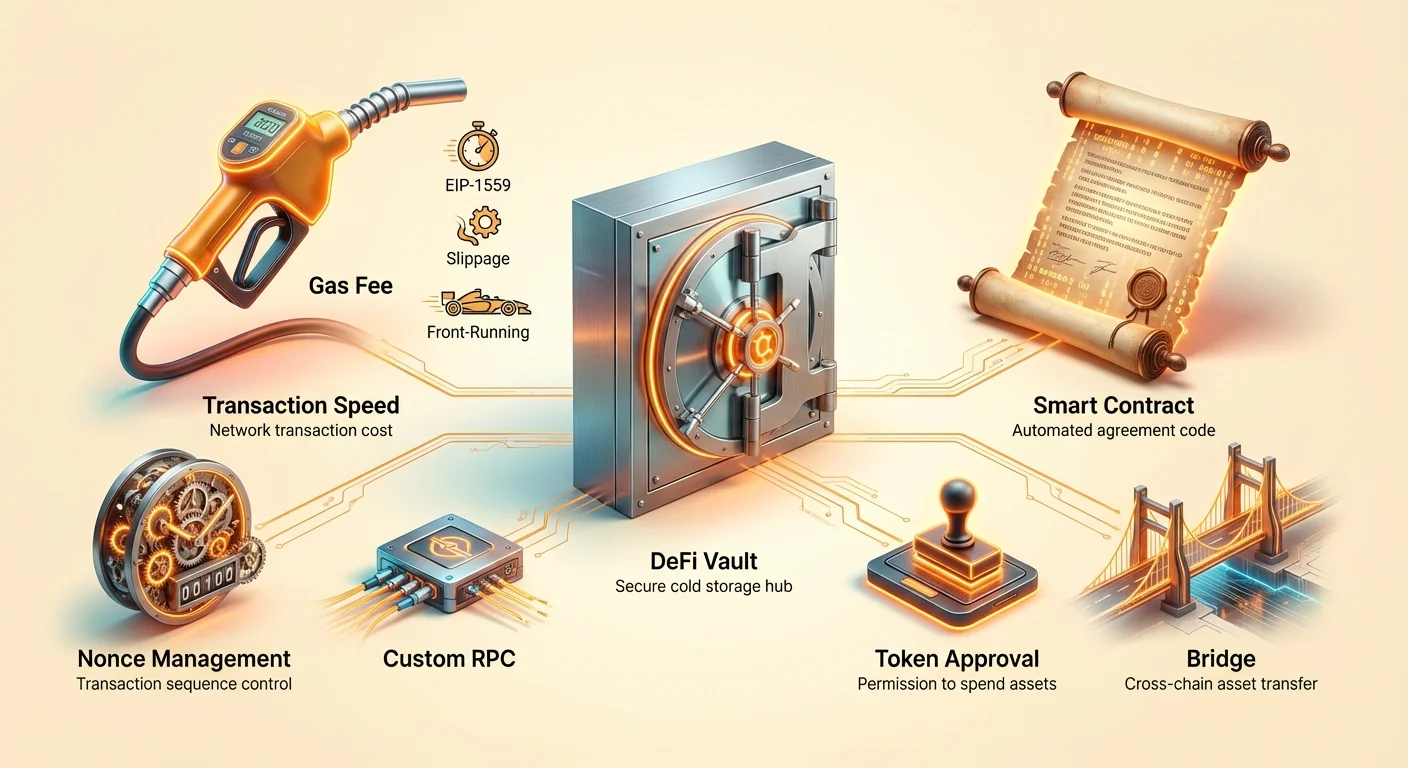
The Multi-Chain Imperative: Configuring Network Access
Modern DeFi is no longer confined to Ethereum. It spans dozens of networks, including Layer 2 solutions (Arbitrum, Optimism) and rival chains (Solana, Avalanche, Polygon). Your wallet must be versatile enough to handle all of them seamlessly.
EVM Compatibility and Custom RPCs
The vast majority of DeFi runs on chains that are EVM (Ethereum Virtual Machine) compatible. This means they use the same underlying technology, address format, and transaction logic as Ethereum.
- EVM Chains: Ethereum, Polygon, BNB Smart Chain, Avalanche C-Chain, Fantom, Arbitrum, Optimism.
- Wallet Benefit: Wallets like MetaMask or Rabby can manage assets on all these chains using a single seed phrase and interface.
However, to ensure reliable performance on these subsidiary chains, relying on the wallet’s default connection (the public Remote Procedure Call, or RPC) is often insufficient, especially during peak load.
Custom RPC Configuration
An RPC is the gateway that allows your wallet to communicate with the blockchain. When you use the default RPC, you are sharing bandwidth with thousands of other users. For critical DeFi activities, you should configure a custom, dedicated, or premium RPC.
Actionable Steps for Setting Up Custom RPCs:
- Identify a Reliable Provider: Services like Alchemy, Infura, or specialized DeFi services offer faster, dedicated RPC endpoints (often for a fee or free tier).
- Add the Network Manually: In your wallet settings (e.g., "Add Network"), you input the following parameters for the desired chain (e.g., Polygon or Arbitrum):
- Network Name (e.g., "Polygon High-Speed")
- New RPC URL (the dedicated URL from your provider)
- Chain ID (a unique number for the network)
- Currency Symbol (e.g., MATIC, ETH)
- Performance Benefit: By using a custom RPC, your transaction requests hit the network faster, drastically reducing latency and increasing the probability that your time-sensitive trade or deposit is processed before network congestion builds up.
Non-EVM Ecosystems and Specialized Wallets
Not all major DeFi ecosystems are EVM-compatible. Chains like Solana, Cardano, and the Cosmos ecosystem operate on entirely different technical standards and require specialized wallets.
- Solana: Uses wallets like Phantom or Solflare. These are optimized for Solana’s unique, high-throughput, low-latency architecture.
- Cosmos/IBC: Uses wallets like Keplr, optimized for interoperability between different Cosmos-based chains (e.g., Osmosis, Celestia).
Configuration Strategy for Non-EVM DeFi: You must maintain separate specialized wallets for these chains. While inconvenient, using the native wallet ensures you can take advantage of the chain’s unique features, such as staking and governance, and maintain optimal transaction speed within that specific ecosystem.
Optimizing for Speed: Gas and Nonce Management
This section focuses on the technical levers you must pull within your wallet to ensure your transactions are included in the next block without fail and without overspending.
Dynamic Gas Fee Adjustment (EIP-1559)
On Ethereum and EVM-compatible chains, transactions require Gas, which is the computational fee paid to network validators. Since the London Hard Fork (EIP-1559), gas pricing is more complex but also more predictable.
The transaction fee is calculated based on two main components:
- Base Fee: This fee is dynamically determined by network congestion and is burned (not paid to the validator). Your transaction must pay at least the current base fee to be considered for inclusion.
- Priority Fee (Tip): This optional fee goes directly to the validator. It acts as a "tip" and determines how quickly the validator prioritizes your transaction over others with the same Base Fee.
Wallet Configuration for Optimal Gas:
- Use Advanced Gas Controls: Most modern wallets (like MetaMask) offer an advanced setting allowing manual control over Base and Priority Fees. Do not rely on the default "Low, Medium, High" settings for time-critical DeFi.
- Estimate Real-Time Fees: Before executing a complex DeFi transaction (like a large swap or liquidation), use a real-time gas tracker (like Etherscan’s gas tracker or third-party tools) to find the absolute minimum Base Fee and a competitive Priority Fee.
- Setting the Max Fee: Your wallet allows you to set a
Max Fee. This is the absolute ceiling you are willing to pay. To ensure rapid inclusion, set theMax Feeslightly above the current Base Fee + your desired Priority Fee. If network congestion spikes unexpectedly, setting a higher Max Fee ensures your transaction doesn't get rejected, though you will only pay what is necessary up to that cap.
Understanding Nonce Management and Transaction Queuing
For active DeFi traders, understanding the Nonce is vital for managing multiple transactions quickly and recovering from stuck transactions.
A Nonce is simply a sequential count assigned to every transaction initiated from a specific wallet address. It ensures transactions are processed in the correct order. The first transaction from an address is Nonce 0, the next is Nonce 1, and so on.
Dealing with Stuck Transactions
If a transaction is broadcast but fails to be confirmed (usually due to setting too low a gas fee), it becomes "stuck." Any subsequent transactions you attempt will also be stuck, waiting for the failed transaction's Nonce to be cleared.
Advanced Wallet Techniques for Nonce Management:
- Enabling Nonce Customization: In your wallet's advanced settings, enable the customization or viewing of transaction nonces.
- Speeding Up: If Transaction A (Nonce 10) is stuck, you can send a replacement transaction with the exact same Nonce (10), but with a significantly higher gas fee. This signals to the network that the new transaction should replace the old one, clearing the block bottleneck.
- Cancelling: If you wish to cancel the stuck transaction (Nonce 10), send a zero-value transaction (sending 0 ETH to your own address) using the same Nonce (10), but with a very high gas fee. This zero-value transaction is cheap to confirm and serves only to clear the Nonce sequence, allowing subsequent transactions to process.
By mastering nonce management, you gain manual control over your transaction queue, a capability critical for responding rapidly during market volatility.
Advanced Security: Interacting Safely with Smart Contracts
The biggest security threat in DeFi is not external hackers breaking into your wallet, but rather you, the user, granting malicious smart contracts permission to drain your funds. Proper configuration minimizes this risk.
The Principle of Least Privilege: Token Approvals
When you interact with a DEX or a yield farm for the first time, the DApp needs permission to spend your tokens. This is done via a token Approval.
- The Danger of Unlimited Approval: By default, many interfaces prompt you to grant "unlimited" approval, meaning the smart contract can spend any amount of that token in your wallet, forever. If that contract is later exploited or found to be malicious, all your approved tokens are immediately vulnerable.
Optimal Configuration: Limiting Approvals:
- Use Custom Spending Limits: When prompted to approve token spending, always select "Edit Permission" or "Custom Spending Limit."
- Set Specific Limits: Only approve the amount you plan to spend or deposit immediately. For example, if you plan to swap 100 USDC, approve 105 USDC. If you are yield farming 1,000 ETH, approve 1,005 ETH. This ensures that if the farm is rug-pulled, the attacker can only take the small amount you authorized, not the rest of the funds in your wallet.
- Regularly Revoke Permissions: Treat approvals like digital credit cards. Regularly use token approval checking tools (e.g., Etherscan’s token approval checker, or specialized revoke tools like Revoke.cash) to audit which contracts have access to your funds and revoke unlimited or outdated approvals. This is critical operational security.
Simulating and Monitoring Transactions
Since smart contract interactions are complex, it’s often impossible for a user to determine exactly what a transaction will do just by looking at the raw data.
- Transaction Simulation Tools: Some advanced wallets (like Rabby Wallet) integrate transaction simulation. Before you sign the transaction on your hardware wallet, the simulator attempts to execute the transaction in a private environment and tells you the resulting balance changes. If the simulation shows that all your ETH will be drained, you know the contract interaction is malicious or contains an error, even if the user interface looks legitimate.
Best Practice: Always use wallets or extensions that offer transaction visualization and simulation features to gain confidence in what you are signing before committing the transaction.
Specialized DeFi Activities and Configuration
Different DeFi activities carry different risk profiles and demand tailored wallet setups.
Yield Farming and Liquidity Provision Configuration
Yield farming involves locking up assets in liquidity pools or lending protocols. Since these funds are locked for extended periods and exposed to smart contract risk, they require the highest level of segregation.
The Vault Wallet Strategy
It is highly recommended to establish a dedicated Vault Wallet separate from your primary or trading wallets.
- Dedicated Hardware Key: Use a secondary hardware wallet or a separate derivation path on your primary device solely for farming activity.
- Isolation: The Vault Wallet should only receive funds, deposit them into audited and reputable protocols, and eventually withdraw them. It should never be used for high-frequency trading, connecting to unverified DApps, or performing daily swaps.
- Minimal Holdings: Keep only the necessary gas fees (ETH, MATIC, AVAX, etc.) and the assets actively being farmed in the Vault Wallet. Store your long-term, untouched crypto on a different, completely air-gapped hardware wallet. This compartmentalization ensures that a hack targeting a high-risk farm only compromises the funds dedicated to that activity.
Bridging and Cross-Chain Risk
Bridging is the process of moving assets from one blockchain to another (e.g., sending ETH from Ethereum to Polygon). This is often the most critical point of failure in the entire DeFi journey.
- The Bridge Connection Risk: When connecting your wallet to a bridge interface, you are often interacting with a complex smart contract that locks your assets on the source chain and issues a wrapped version on the destination chain.
- Prioritize Audited, Trustless Bridges: Configure your wallet to primarily interact with well-audited, established, and ideally, truly trustless decentralized bridges (where the bridge smart contract itself is secured by validators or decentralized governance). Avoid centralized custodial bridges where you must trust a third party to hold your assets.
Configuration Tip: Pre-Approve Gas: When bridging, ensure you have sufficient native gas tokens (e.g., ETH on Ethereum) both to approve the bridge contract to spend your tokens and to cover the final transaction cost of locking the funds. Rushing this process can lead to partial transactions, locking your assets limbo.
Configuration Best Practices and Operational Security
Maintaining optimal wallet performance requires ongoing monitoring and discipline.
Dedicated vs. Diversified Wallets
For serious DeFi participants, a single wallet is insufficient. You should operate at least three tiers of wallets, each configured for a specific risk profile:
- Storage Wallet (Cold/Air-Gapped): 90% of assets. Never connects to any DApp. Purely for long-term holding.
- Trading Wallet (Hot/Hardware-Backed): For active DEX trading, arbitrage, and frequent swapping. This wallet prioritizes speed (custom RPCs, high Max Gas) but is still hardware-secured. Holds mid-sized balances.
- Interaction Wallet (Hot/Disposable): A separate software wallet (no hardware key, separate seed phrase) used only for testing new, unproven DApps, minting unknown NFTs, or accessing potential airdrop sites. This wallet should hold near-zero funds, only enough for gas fees. If compromised, the loss is minimal.
Regular Auditing and Monitoring
A crucial aspect of configuration is ensuring your wallet address is clean and free of malicious connections or dormant risks.
- Audit Permissions: At least monthly, use a token approval checker tool to verify the permissions you have granted across all chains (Ethereum, Polygon, Arbitrum). Revoke any permissions tied to contracts you no longer use or those granted with an unlimited spending limit.
- Monitor Address Activity: Use a chain explorer (like Etherscan or Arbiscan) to monitor your address regularly. Look for unusual outgoing transactions that you did not initiate. A well-configured wallet provides the data needed for quick forensic analysis should an incident occur.
- Update Wallet Software: Ensure your wallet application (mobile or extension) and, critically, your hardware wallet firmware, are always running the latest software. Updates frequently include security patches and improved gas management features (like better EIP-1559 implementation).
Secure Signing Practices
Finally, always be aware of what you are signing. In DeFi, you typically sign two types of messages:
- Transaction Messages: Used for spending funds or calling a smart contract (e.g., "Swap 1 ETH for DAI"). This costs gas.
- Signature Messages (e.g.,
eth_signor EIP-712): Used for verifying identity, logging into a DApp, or signing off-chain market orders. This costs no gas, but can be dangerous if the message is crafted to authorize future spending or wallet control.
Rule of Thumb: Never sign a Signature Message unless you fully understand what it is authorizing. A properly configured and modern wallet should clearly display the human-readable text of the message being signed, protecting you from signing blindly.
Conclusion
Optimal DeFi wallet configuration is a combination of technical fine-tuning and strict operational security. Success in yield farming, trading, and bridging relies heavily on fast transaction speed, which is achieved through customizing RPC endpoints and mastering manual gas and nonce adjustments.
By implementing the Vault Wallet strategy, strictly limiting smart contract approvals, and leveraging the power of dedicated custom gas settings, you transform a simple asset holder into a high-performance tool ready to navigate the competitive and ever-evolving landscape of Decentralized Finance safely and profitably. Start by segregating your assets, configuring your custom network access, and always prioritizing security checks before speed.