
WalletConnect has become the critical bridge connecting your secure crypto wallet—where your digital assets live—to the decentralized applications (DApps) and services across various blockchain ecosystems. It is the standardized open-source protocol that allows you to interact with services like decentralized exchanges (DEXs), NFT marketplaces, and DeFi platforms without exposing your private keys.
However, any connection between a private wallet and the wider internet introduces potential risk. While WalletConnect is fundamentally secure by design, the user’s actions and understanding of the protocol are often the weakest links. Moving past the simple introductory step of "how to connect," this guide offers an actionable security audit checklist focused on WalletConnect V2, empowering you to safely manage session permissions, avoid sophisticated phishing attempts, and practice the principle of least privilege when interacting with DApps.
For newcomers and seasoned users alike, treating every WalletConnect session as a temporary, carefully monitored contract is the key to maintaining self-custody and avoiding catastrophic loss.
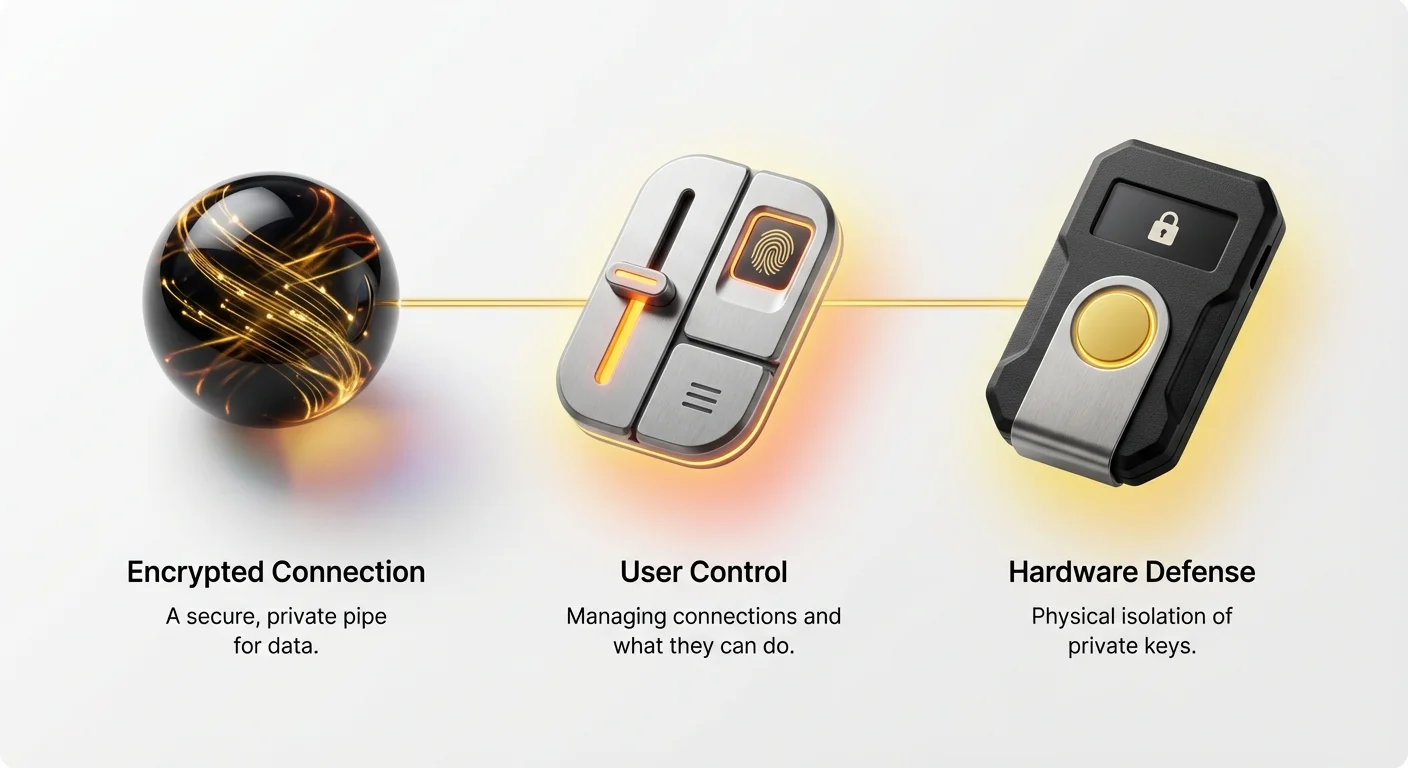
Decoding the WalletConnect V2 Architecture for Security
The transition from WalletConnect V1 to V2 was not merely an update; it was a fundamental architectural overhaul designed to enhance security, resilience, and multi-chain compatibility. Understanding these foundational changes is the first step in auditing your security posture.
The Shift to a Decentralized Messaging Relay
In the original V1 framework, sessions were often managed by a centralized server, which posed potential single points of failure. V2 addresses this by utilizing a decentralized message relay network.
This decentralized system means that the communication between your wallet and the DApp is not routed through a single controlling entity. Instead, it uses a public, permissionless relay that strictly handles encrypted payload transmission. For the end-user, this results in two core security benefits:
- Censorship Resistance: No single entity can easily shut down or block the connection.
- Privacy: The relay network only sees encrypted, indecipherable message packets. Only your wallet and the DApp have the keys to decode the communication.
Secure Pairing and Cryptographic Session Establishment
WalletConnect V2 employs a sophisticated pairing process that is significantly more secure than its predecessor. When you scan a QR code or click a deep link, the following steps secure the session:
- Paring: The wallet and the DApp exchange public keys and agree upon a shared secret key (a symmetrical key). This key is used exclusively for that specific session.
- End-to-End Encryption: All subsequent communication between your wallet and the DApp—including transaction requests and session updates—is encrypted using that unique shared secret key. This means that even if a bad actor intercepted the data on the relay network, they would only see gibberish.
The crucial takeaway here is that security is contingent upon the initial pairing being secure. If the DApp you are pairing with is malicious, the encryption only protects you from third-party eavesdropping, not from the DApp itself asking you to sign malicious transactions.
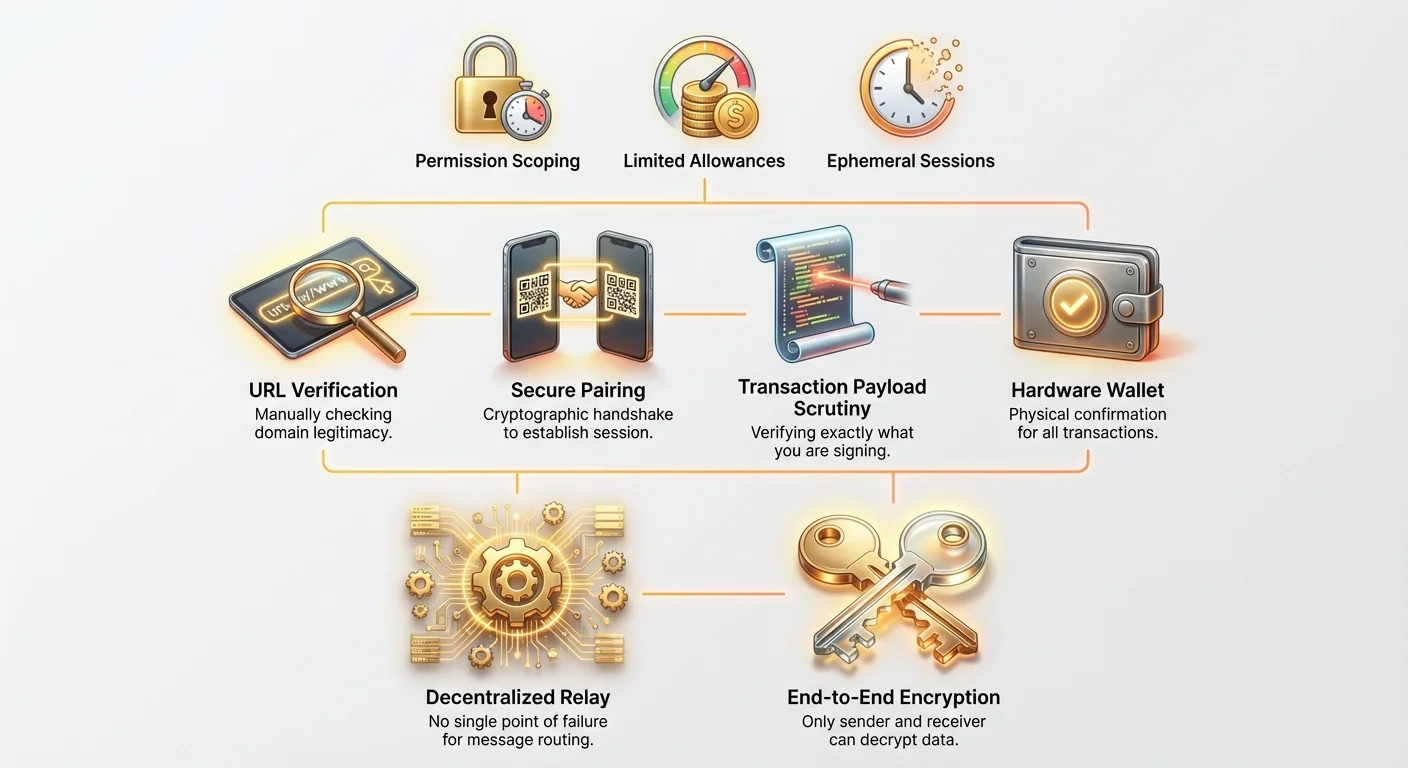
Actionable Security Checklist: Managing WalletConnect Sessions Safely
The weakest point in any crypto interaction is almost always user error. By adopting strict habits around session management, you can drastically reduce the risk of session hijacking or accidental approvals.
1. Verify the Source and URL Manually
The most common vector for attack in the DApp world is phishing—creating a fake website that looks exactly like a legitimate platform (e.g., swapping Uniswap.org for Uniswapz.org). The DApp world is phishing is covered in depth in our security checklist for advanced users.
Best Practice:
- Always initiate the connection from the trusted, canonical DApp URL. Do not click links from social media, emails, or unsolicited direct messages (DMs).
- Before scanning the QR code or confirming the connection, visually verify the URL in your browser. If WalletConnect successfully generates a QR code, you can be reasonably confident the DApp has correctly implemented the protocol, but the responsibility to verify the domain name remains yours.
2. Practice Immediate Disconnection (Ephemeral Sessions)
A WalletConnect session is a persistent line of communication. If you keep sessions open, you create a potential window for attackers, especially if the DApp's server (the one managing the connection on their end) is later compromised.
The Rule of Thumb: Disconnect immediately after completing your task (e.g., after swapping tokens, depositing liquidity, or minting an NFT).
How to Audit Active Sessions:
- Most mobile wallets (e.g., MetaMask Mobile, Trust Wallet) have a dedicated section within their settings labelled "WalletConnect" or "Active Sessions."
- Regularly review this list. If you see a DApp you haven't used in days or weeks, terminate the session immediately.
- If a session appears suspicious or unfamiliar, terminate it. It is always safer to reconnect later than to leave a compromised door open.
3. Scrutinizing Initial Connection Permissions
When you first pair your wallet, the DApp will request certain permissions, known as session scopes. This is where the wallet asks, "What do you want to be allowed to do?"
Essential Permissions to Check:
| Permission Requested | Meaning | Security Implication |
|---|---|---|
| View Address | Allows the DApp to see your public wallet address. | Low Risk (Necessary for identification). |
| Suggest Networks | Allows the DApp to request that you switch to a different chain (e.g., switch from Ethereum to Polygon). | Moderate Risk (Can confuse users; always verify the requested chain ID). |
| Request Signatures/Transactions | Allows the DApp to ask you to sign messages or approve transactions. | High Risk (This is the core permission required for asset movement). |
Security Audit Step: If a simple informational DApp (like a portfolio tracker) requests permission to send transactions, immediately reject the connection request. Only grant the necessary minimal permissions.
WalletConnect Phishing Protection: Identifying Malicious Transactions
While WalletConnect V2 provides a secure pipe for communication, it cannot filter the content being sent through that pipe. Your wallet displays the transaction payload—the raw data the DApp is asking your private key to approve. Scrutinizing this payload is the ultimate act of self-custody.
1. Verification of the Transaction Payload
Every time a DApp asks you to execute a function (like swapping tokens), your wallet will prompt you with a confirmation screen. Beginners often click "Confirm" without reading. This is the moment when an attacker can drain your funds.
Key Data Points to Check in the Confirmation Screen:
- Recipient Address: Ensure the contract address you are interacting with belongs to the legitimate DApp. (While complex, if you are transacting with a known entity like Aave, the contract address should be consistent).
- Function Name (Method): This is critical. Are you clicking "Swap" on the DApp but the wallet screen says "Approve Spending Limit"? Be suspicious. Legitimate actions include
transfer,swap,mint, ordeposit. - Gas Limit and Estimated Fees: Verify that the fees requested are reasonable for the network and the action. Excessively high gas limits can sometimes indicate a transaction designed to fail quickly after a costly initial step.
2. The Danger of Arbitrary Message Signing (eth_sign)
One of the most dangerous requests a DApp can make is a general signature request (often displayed as eth_sign or "Sign Message"). Unlike a transaction, which moves assets based on specified parameters (sender, recipient, amount), a signature request proves that you control the address.
When is eth_sign legitimate?
- Logging into certain platforms (proving ownership for authentication).
- Creating off-chain orders (like agreeing to a specific trade on an NFT marketplace before it goes on-chain).
When is eth_sign dangerous?
- Phishing/Session Hijacking: A malicious DApp can trick you into signing a message that, if the DApp is compromised, could allow attackers to hijack your existing session or prove ownership for unauthorized actions on other platforms.
- Permit Functions: Some modern token standards use signed messages to authorize spending without an on-chain transaction first. If you sign a malicious permit request, you might grant an attacker permission to spend tokens later without your explicit knowledge.
Security Protocol: Never sign a message unless you fully understand what the message says and why the DApp needs it for the current action. If the message text is confusing or looks like raw code (a hash), abort the connection.
The Principle of Least Privilege: Scoping DApp Permissions
The core philosophy of security dictates that you should only grant the necessary permissions for the necessary duration—the Principle of Least Privilege. In DeFi, this translates directly to managing token approvals.
Understanding Infinite Token Allowances
When you interact with a DEX for the first time, you must grant that contract permission to spend your tokens (e.g., granting Uniswap permission to spend your USDC to execute a swap).
By default, many DApps ask for an Infinite Allowance. This is done for user convenience so you don't have to approve the token every time you swap.
The Risk: If you grant an infinite allowance and that specific DApp contract is later compromised (or if you connected to a malicious phishing site), the attacker can use that pre-authorized infinite allowance to drain all of that specific token from your wallet without needing another confirmation from you.
Setting Granular, Limited Allowances
While the WalletConnect V2 protocol doesn't directly enforce allowance limits, secure users must use external tools to manage these allowances after the connection is established.
Audit Step: Setting and Revoking Allowances:
- Avoid Infinite Allowance: If your wallet provides an option to customize the spending limit during the initial transaction approval, always select a specific, limited amount (e.g., only enough for the single swap you intend to perform).
- Regular Allowance Audits: Use specialized blockchain explorers or tools (like Etherscan's Token Approvals tool or dedicated wallet features) to review which DApp contracts currently have permission to spend your tokens.
- Revoke Unused Approvals: If you haven't used a specific DApp in months, or if you suspect a connected DApp might be risky, revoke all its token allowances immediately. While revoking costs a small gas fee, it serves as cheap insurance against future exploits.
Scoping by Chain ID
WalletConnect V2 introduced robust multi-chain support. However, this flexibility requires caution. When a DApp requests a connection, your wallet will display the requested Chain ID (e.g., 1 for Ethereum Mainnet, 137 for Polygon).
Security Audit Step:
- Verify the Chain ID: Ensure the network the DApp is requesting matches the network you intended to use. A common phishing trick is to connect you to a "test net" or an irrelevant, cheap chain just to execute a preliminary, confusing transaction, then switch back to the main net for the final exploit.
- If your wallet shows a warning that the DApp is requesting interaction on a chain you do not have configured, proceed with extreme caution or reject the connection.
Integrating Hardware Wallets: The Ultimate Defense Layer
For serious investors or users dealing with significant value (the "Vault Wallet"), WalletConnect V2's highest security feature is its compatibility with hardware wallets. This combination creates a separation of concerns that provides near-impenetrable security against remote digital attacks.
Separation of Duties
When you use a standard software wallet (a "Hot Wallet") with WalletConnect, the private key is stored digitally on your device (though protected by encryption). If your device is compromised by malware or a clever exploit, the key could potentially be accessed.
A hardware wallet (like a Ledger or Trezor) stores the private key on a secure, isolated chip.
How WC V2 Works with a Hardware Wallet:
- The DApp sends a transaction request via WalletConnect V2 to your software wallet (e.g., MetaMask).
- The software wallet relays the request to the connected hardware wallet.
- The transaction details are displayed on the hardware wallet's small, isolated screen.
- Crucially, the transaction cannot be signed until you physically press the confirmation button on the hardware device.
Even if the WalletConnect session is hijacked, the DApp is malicious, or your computer is infected with screen-sharing malware, the attacker cannot steal your funds because they lack the physical access required to press the hardware wallet’s confirmation button.
Practical Steps for Hardware Wallet Users
If you use a hardware wallet via a software interface (like MetaMask), ensure you follow these steps for every WalletConnect session:
- Verify on the Device Screen: Never trust the screen on your computer or phone. Always read the recipient address and the amount being spent on the physical screen of your hardware device.
- Treat the Hardware Wallet as the Authority: If the details on your computer screen contradict those on your hardware wallet screen, the hardware screen is correct. Reject the transaction immediately.
This setup transforms WalletConnect from a potential risk factor into a seamless, highly secure conduit, ensuring that your private key never leaves its tamper-proof environment.
Conclusion: Mastering Control and Vigilance
WalletConnect V2 provides the cryptographic framework necessary for safe interaction with the decentralized web. It eliminates many of the centralization risks inherent in earlier versions and provides robust, end-to-end encryption.
However, the security of your assets remains an active process of vigilance, not a passive guarantee. By adopting the mindset of a security auditor—meticulously verifying URLs, terminating unused sessions, scoping permissions to the bare minimum, and utilizing the robust defense layer of a hardware wallet—you transform WalletConnect into a powerful, secure tool for navigating the world of decentralized finance. The step-by-step security audit must become a routine part of your blockchain interactions.